


What is survey data analysis?
Survey data analysis is the process of cleaning responses, checking who answered, summarizing quantitative questions, interpreting open-ended comments, comparing meaningful groups, and reporting what the evidence supports.
Good analysis begins before a chart. The team must know what each question means, which response belongs to whom, how missing answers are treated, whether scales are comparable, and which claims require context from comments or interviews. Averages alone can hide dropout, subgroup differences, and the reasons behind a result.
Key takeaways
- Start with the decision, not the chart. Define what the team needs to learn or change before choosing calculations.
- Quantitative and qualitative evidence belong together. Scores show the pattern; comments help explain why it appears.
- Repeated surveys need stable identity and definitions. Otherwise apparent change may be a different sample or a changed question.
- AI can help classify and retrieve evidence, but important conclusions still need governed definitions, citations, and human review.
A practical survey analysis process
Begin by documenting the survey purpose, target population, collection period, question definitions, scale direction, required segments, and the decision the analysis will support. Then inspect duplicates, partial responses, missingness, straight-lining, outliers, inconsistent scales, and whether the people who answered resemble the group you intend to describe.
Summarize counts and distributions before calculating averages. For rating questions, report the scale and denominator. For multi-item measures, confirm that the items are intended to work together before creating a score. For comparisons, show group sizes and avoid treating a small difference as meaningful without enough evidence.
How do quantitative and open-ended responses work together?
A score can tell you that confidence fell after a module or that satisfaction differs by location. It cannot explain whether the cause was relevance, access, facilitation, financial pressure, timing, or something the survey never anticipated. Open-ended responses, interviews, and notes help reveal those mechanisms.
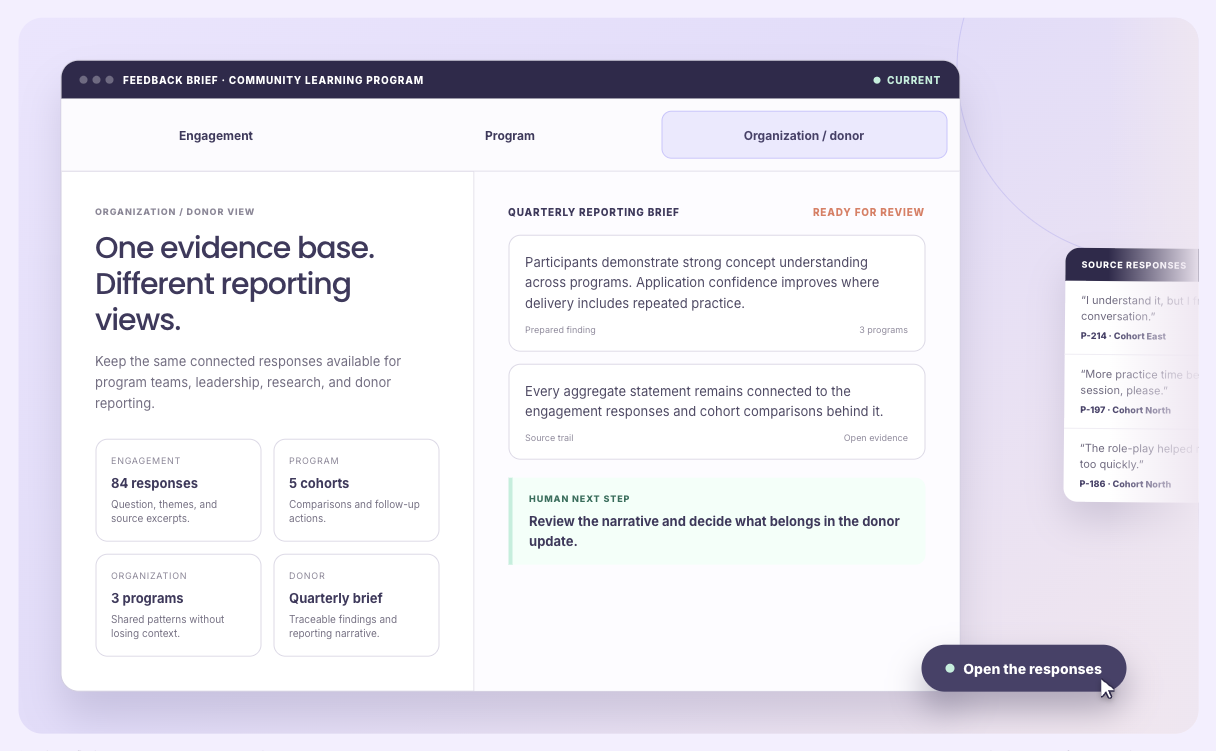
The useful workflow connects each theme to the respondent, segment, date, question, and exact passage. Analysts should inspect common, divergent, and contradictory evidence. If an AI system creates themes, retain the instructions, configuration, coverage, and citations so a reviewer can understand how the conclusion was formed.
How should longitudinal survey analysis be handled?
A pre/post average is not enough when different people answered each wave. Use a stable respondent identity when consent and the research design permit it, distinguish paired from unpaired comparisons, report attrition, and examine whether people lost to follow-up differ from those retained.
Keep the original question wording, scale, timing, intervention exposure, and calculation definition. If any of these change, disclose it. A reliable result should show the denominator, missingness, segment, time window, and evidence behind the interpretation rather than presenting a percentage without context.
How should you evaluate survey data analysis software?
Use a real survey with rating questions, open text, segments, missing responses, one repeated wave, and a document or interview that adds context.
Self-driven
Can the operating team update definitions, review missing records, correct data, and answer routine questions without rebuilding exports or waiting for a specialist?
How to test it
- Ask: Can a program or research lead change segments, definitions, and review rules?
- Use: A real survey export with known issues.
- Pass: Routine analysis can be repeated without hidden spreadsheet steps.
One record
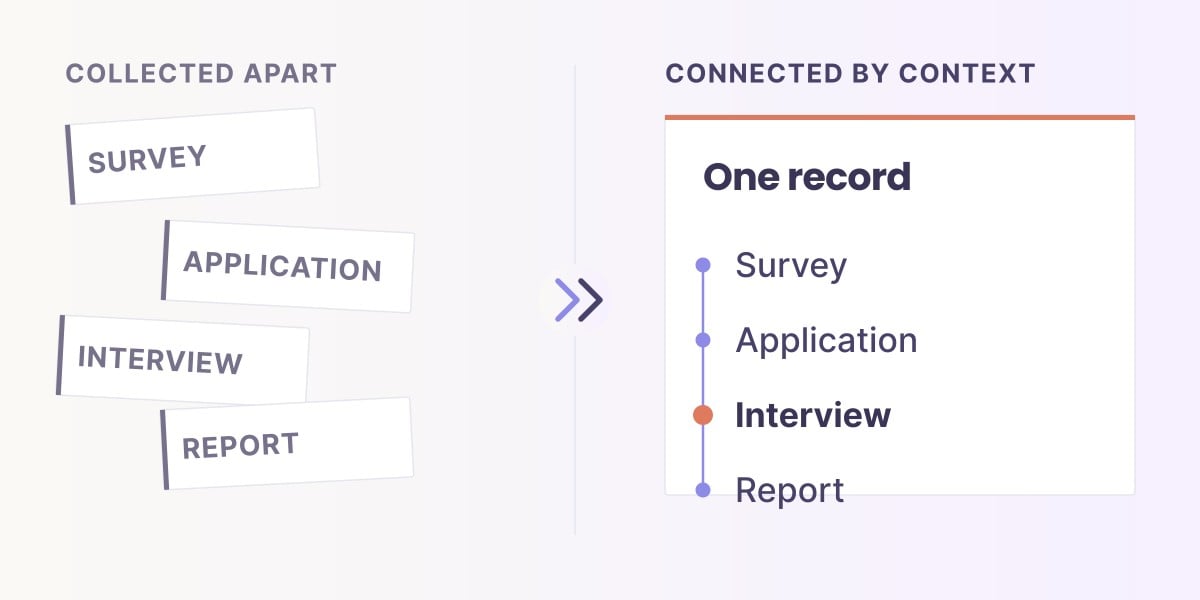
Can the same person, organization, partner, or program remain identifiable across forms, files, services, and reporting periods without unsafe duplication?
How to test it
- Ask: Can the same respondent be linked across waves where appropriate?
- Use: Duplicate emails, changed contact details, and consent boundaries.
- Pass: Identity rules are explicit and unmatched records remain visible.
Volume
Can the workflow handle the real number of records, documents, open-text responses, updates, and exceptions at the required cadence?
How to test it
- Ask: Can it process the full response set and long open text?
- Use: The largest expected wave, not a small demo sample.
- Pass: Coverage, exclusions, duplicates, and processing time are reported.
Longitudinal
Can the team see change across baseline, delivery, exit, follow-up, corrected history, and a return to the program?
How to test it
- Ask: Can it distinguish paired change from a different sample?
- Use: Baseline, post, and follow-up with attrition.
- Pass: The analysis reports who changed, who is missing, and what remains comparable.
Qualitative
Can comments, interviews, notes, and explanations be analyzed with the measures they explain while exact supporting and contradictory passages remain inspectable?
How to test it
- Ask: Can themes be opened to exact responses and compared with scores?
- Use: Supportive, critical, and contradictory comments.
- Pass: Themes remain connected to respondent, segment, question, and passage.
Documents
Can reports, applications, plans, policies, and uploaded files contribute evidence without losing their source, date, owner, and permission boundary?
How to test it
- Ask: Can supporting interviews, reports, and uploaded files be included?
- Use: A mixed set of survey and document evidence.
- Pass: Every claim preserves file, passage, date, and permission context.
Assistant
Can a plain-language question be answered only from approved definitions and authorized evidence, with included records, filters, calculations, and citations visible?
How to test it
- Ask: Can a plain-language question show its filters and evidence?
- Use: The same question twice plus a changed segment.
- Pass: The system returns a stable, inspectable result and explains the change.
Reliable
Can a reviewer reproduce one important number and one qualitative conclusion from the underlying records, definitions, transformations, and source passages?
How to test it
- Ask: Can a reviewer reproduce a chart and a qualitative finding?
- Use: One headline percentage and one theme.
- Pass: Denominator, missingness, calculation, configuration, and sources are available.
Survey analysis methods and tools compared
No single method answers every question. Match the tool to the decision, data type, scale, and level of traceability required.
| Option | Strong for | What to watch |
|---|---|---|
| Spreadsheet | Cleaning, basic summaries, small datasets | Manual steps, version control, repeated waves, and open text |
| Statistical package | Inference, models, reproducible quantitative analysis | Requires analytical skill; test how text and document evidence will be integrated. |
| Qualitative analysis tool | Deep coding of interviews and open text | Survey measures, respondent identity, and operational cadence may be separate |
| Sopact Sense | Connected quantitative, qualitative, document, and longitudinal evidence | Important methods and interpretations still require human review |
Can you keep the systems you already use?
Yes. Keep Qualtrics, SurveyMonkey, KoboToolbox, Microsoft Forms, Google Forms, a CRM, or another collection system when it works. Export or connect the authorized response fields, identity rules, question definitions, and timestamps needed for analysis.
The value comes from a repeatable analysis record: the same definitions, cleaning rules, segments, calculations, qualitative configuration, citations, and limitations can be reviewed and reused when the next wave arrives.
Frequently asked questions
What is survey data analysis?
Survey data analysis cleans and checks responses, summarizes quantitative questions, interprets open-ended evidence, compares relevant groups, and reports what the data supports.
What are the main steps in survey data analysis?
Define the decision and population, clean responses, inspect missingness and representation, summarize distributions, compare groups or waves, analyze open text, review limitations, and report with sources.
Should I use averages for Likert-scale questions?
Averages can be useful when the scale and interpretation are appropriate, but also show the scale, denominator, distribution, missingness, and relevant group sizes.
How do I analyze open-ended survey responses?
Develop or govern themes, apply them consistently, retain exact supporting and contradictory passages, compare them with quantitative results, and review important conclusions.
How do I compare pre- and post-survey results?
Identify whether the same people answered, preserve scale and question definitions, report attrition and missingness, and distinguish paired change from differences between samples.
Can AI analyze survey data?
AI can help classify text, retrieve evidence, draft summaries, and build queries. Important claims still need approved definitions, traceable calculations, citations, and human review.
Can I keep my current survey platform?
Yes. A collection tool can remain the source while a governed analysis workflow connects scores, comments, documents, segments, and repeated waves.
What makes survey analysis reliable?
A reviewer can inspect the population, denominator, cleaning rules, question definitions, calculation, qualitative configuration, missingness, limitations, and source responses.
Next: learn how to connect quantitative and qualitative survey data, or see Sopact Sense in action.
Reduce repeated coding and reconnecting work
The expensive part is often what happens after the first analysis: a better definition, another collection cycle or a new question that requires the numbers and coded text to meet again.
A workflow with repeated manual work
- Define from an initial sampleRead material and agree on the codebook.
- Apply it across the datasetCode responses and check the result.
- Revise a definitionReturn to affected material and recode it.
- Reconnect the numbersReconcile coded results with ratings and context, then rebuild the view.
The Sopact workflow
- Your team owns the definitionsDecide what each code means and improve it as you learn.
- Apply coding across the eligible dataAutomate application; people review quality and exceptions.
- Reprocess after a definition changesReapply the revised definition across the configured scope instead of recoding each response by hand.
- Ask across coded text and numbersKeep the response, rating and relevant record context connected; inspect the evidence behind the result.
This compares workflow patterns, not a claim that every research tool requires manual coding or separate files. Some already automate parts of this work; compare the complete cycle.
The codebook can improve without another manual coding project
A sample helps a team develop its first definitions. It should not become an unspoken limit on what the final analysis considers. When thousands of later responses introduce something new, the team needs a practical way to improve the codebook and revisit earlier material.
Sopact's approach keeps that judgment with the team and automates application and reapplication across the configured data. The saving is the repetitive coding and reconnection work. Definition design, quality review, exceptions and interpretation still take time; processing and review are not free or instantaneous.
This applies to a codebook-based operational workflow. It is not a claim that every qualitative research method should use a fixed codebook or that all responses must identify a person. Use the appropriate response, account or participant relationship and respect access restrictions.
Reliable agentic analysis needs a route back to the data
An assistant should turn a question into a checkable operation on the data: apply the intended filters, calculate over the selected records, and return evidence that the reviewer can inspect. It should not invent a count from a generated summary.
The reliability test is specific: can you reproduce the calculation on the same data and definitions, and inspect why a record was included? That does not mean an AI interpretation is infallible or that a codebook guarantees identical model output.
Try a definition change · fictional records
Same question. A sharper definition.
Query: ratings of 1–2, with a comment coded for a support delay. The denominator is six submitted responses.
V1 includes delays in either replying or resolving the issue.
3 of 6 responses match
Illustrative workflow, not a live Sopact session. These six synthetic records have predefined coding under each version. In real work, reprocessing and review must finish before the revised result is treated as ready.
The ownership cost is the recurring work
Include implementation and staff time, repeated coding, revision checks, data joins, reporting, platform and processing costs. A low license cost does not tell you how much capacity the workflow consumes.
Illustrative labor model—not a measured customer result or a guaranteed saving. The example below processes the same volume in both workflows. It does not claim that a manual team actually read only a sample, and it includes continuing human review in the Sopact scenario.
Estimate the annual staff hours
Adjust setup, review and reporting assumptions
Manual other work: 6 review + 6 join/reconciliation + 4 reporting hours. Sopact human work: 12 review/exception + 4 revision validation + 1 integration check + 4 reporting hours. Setup includes initial configuration and definition work. Replace these assumptions with observed effort. The reread share can exceed 100% if several revisions require repeat passes.
Scroll horizontally to see all columns →
| Annual labor | Manual workflow | Sopact scenario |
|---|---|---|
| Setup | 16 h | 24 h |
| Initial manual application | 200 h | Automated; processing costs separate |
| Manual reapplication | 100 h | Automated; validation included below |
| Other human work | 64 h | 84 h |
| Total staff hours | 380 h | 108 h |
In this illustrative annual scenario. Your result may be smaller, larger or negative.
See the calculation and excluded costs
Manual hours = setup + cycles × [(responses × minutes ÷ 60) × (1 + reread share ÷ 100) + other manual hours]. Sopact scenario = setup + cycles × human-work hours.
This estimates staff time only. Complete ownership cost also includes your actual platform, processing, storage, integration, procurement and training costs where not already counted. Translate hours into labor cost using your own rates. Measure processing delay separately. Do not add the same expense twice.
If another tool already automates coding, revisions or joins, reduce the manual baseline accordingly. Long interviews, complex codes or intensive review need different inputs. Comparable quality and coverage are conditions of a useful comparison.
Compare the complete cycle on your own data
Use a representative dataset, agree the coding definitions, introduce a meaningful revision and ask a question that combines a code with a rating or outcome measure. Record the staff hours required to get a reviewed answer, including corrections and rework. That test makes the ownership argument concrete.
The operational benefit is capacity: the team can revisit a better definition and ask another question without automatically starting another coding-and-joining project. Faster processing is valuable only if the evidence and review remain trustworthy.
Watch: why qualitative analysis stays small
This Sopact video explains repeated coding and how connected text and numbers can reduce the work. The examples are explanatory, not measured customer savings.
