


Related solution
Employee Experience
Connect permitted listening and development evidence.
Explore the solution →


Live webinar: Wednesday, October 7, 2026 | 9:00 AM PT
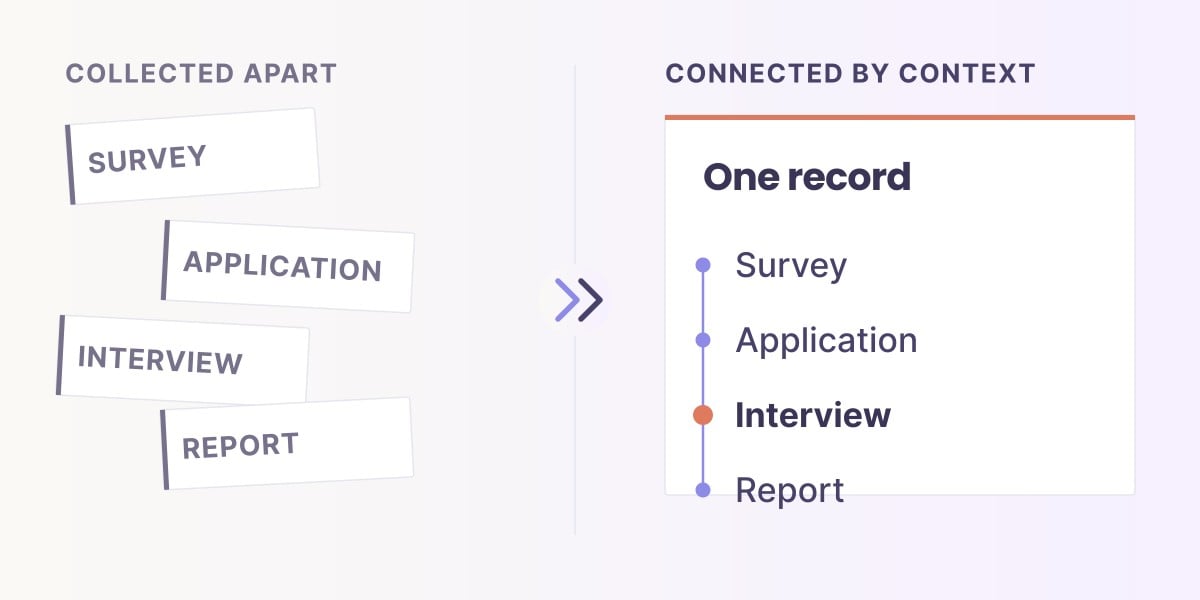
Building context across your data. In 30 minutes, see how to connect data and definitions across teams, with the right permissions and governance, so scattered data points become intelligence your teams and AI can actually use.
Save your spot (free)USE CASE / SOFTWARE GUIDE
Employee survey software helps organizations collect and analyze employees’ views about their work, onboarding, development and experience. Good software makes participation trustworthy and turns the findings into improvements employees can recognize, while preserving the confidentiality promised when they respond.
A survey can produce a clear engagement score without explaining what staff need next. Comments may wait for manual coding, small teams may be identifiable in a report, and the next survey may repeat the same concerns because nobody can see what changed after the last one. These are different problems, and the buying decision needs to address each.
AI makes written feedback easier to examine during the listening cycle. Sopact connects permitted survey evidence with program and development context so teams can ask continuing questions through AI Assistance. Anonymous responses remain group-level evidence; connected analysis should strengthen the listening process without reconstructing anonymous employees’ identities.
Explain how feedback will be used and who can see it.
Read scores alongside the concerns employees describe.
Connect the findings with action and later feedback.
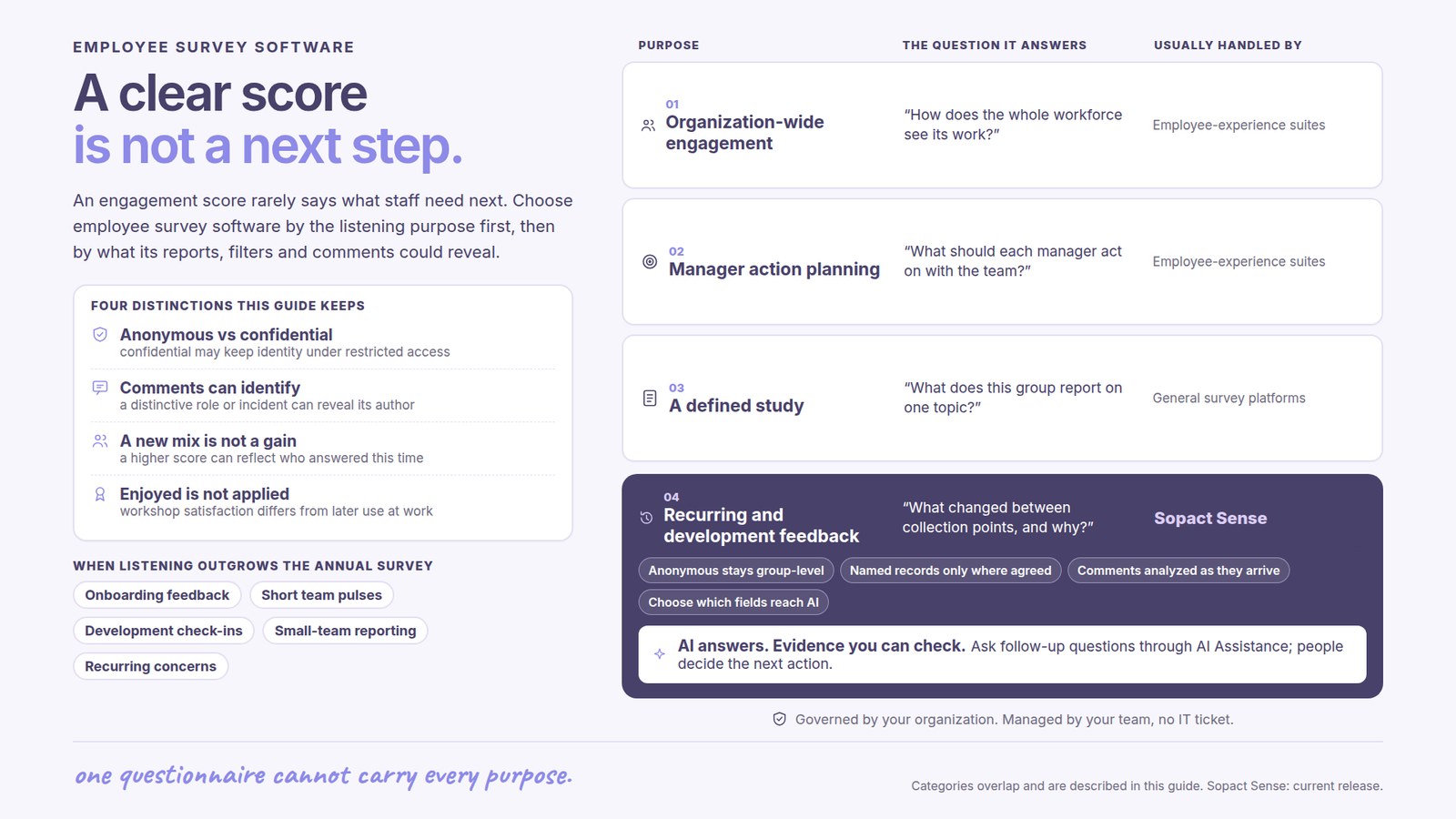
An annual engagement survey, a short team pulse, onboarding feedback and a leadership-development check-in answer different questions. An engagement program may need stable measures across a large workforce. A development program may need to understand how a participant applies a new practice. One questionnaire should not carry all of those purposes.
Choose the software around the decision: improving the first month at work, understanding workload concerns, supporting a training cohort or following an organization-wide engagement initiative. The purpose determines the audience, timing and appropriate level of detail.
Identified development records can support an individual conversation where that use is agreed. Anonymous workforce feedback supports patterns at group level. Keeping those purposes clear makes both more useful.
Employees need a plain explanation of what is collected, who receives individual material and what appears in a manager’s report. Anonymous and confidential are not interchangeable promises: confidential research may retain identity under restricted access, whereas anonymous collection should not establish an identifiable response history.
Qualtrics documents reporting thresholds that suppress certain results when response groups are too small, with additional protections available. Such controls are substantive selection criteria, not decorative security language.
Numbers are only part of the issue. An open comment can identify its author through a distinctive role or incident. The reporting approach should consider the text, filters and exports as well as the main dashboard. Ask for the actual behavior appropriate to the listening program; a general claim of confidentiality is not enough.
A dedicated employee-experience suite is relevant when the central purchase involves organization-wide listening, reporting hierarchies, standard measures and manager action planning. A general survey platform can suit a defined study when the team already has a sound process for analysis and response.
Sopact’s employee-experience approach is particularly relevant to recurring feedback and development evidence across programs. It brings the permitted material into context so learning teams can understand change between collection points.
These choices overlap. An organization may keep its annual engagement system and improve the analysis of onboarding or development feedback separately. Decide where the present gap lies before replacing a working process.
A one-time summary describes a set of comments. Continuing analysis helps a team examine whether a concern recurs, how it relates to the relevant program and what later feedback says after an improvement. The benefit is a shorter path from receiving evidence to discussing a useful response.
For an illustrative onboarding program, employees may rate induction positively but describe uncertainty about responsibilities after moving into their teams. The useful finding is the gap between the organized induction and the later working experience. It points toward clearer team-level expectations, not simply a redesign of the welcome session.
Sopact makes incoming analysis available through AI Assistance within the agreed workflow. Staff can investigate the question using permitted evidence, review the interpretation and choose the next action. AI analysis does not establish why a particular employee left or provide a basis for an automatic employment decision.
A higher score can reflect a changed respondent mix rather than an improved experience. Keep the question, scale, period and relevant population understandable. Changes in team structure or who answered can matter as much as the movement in the average.
The strongest report explains the finding and the response: what employees raised, what the organization changed and what later evidence suggests. It should also show where participation is too limited to support a confident conclusion.
For development programs, distinguish learning satisfaction from application at work. A participant enjoying a workshop is useful feedback, but a later account of using the practice answers a different question. The training evaluation guide develops that distinction.
Program owners should be able to refine their questions and interpretation as work changes, with the promised access boundaries preserved. Sopact combines personalization with continuing support so the customer retains control of the purpose and meaning of the evidence.
Sopact’s typical setup estimate is two days to two weeks for an agreed collection and analysis scope. Workforce integrations, historical material and organization-specific confidentiality requirements affect that scope. The return is more useful follow-through and less repeated analysis work, rather than simply sending surveys more often.
The King Center resource below illustrates analysis of open-ended program feedback. It is relevant evidence for making comments usable, not an employee-confidentiality deployment claim.
It supports collecting and analyzing employee feedback about work and development, with reporting and follow-through appropriate to the listening purpose.
No. Confidential collection may retain identity under restricted access. Anonymous collection should not create an identifiable response history.
It should not. Anonymous evidence must remain separate from named development records and be used within the promise made to participants.
No. Review the respondent population, question consistency and other changes before interpreting a score movement.
Sopact connects permitted feedback and development evidence for continuing analysis across programs, with organizational ownership and human interpretation.
Continue with a purpose
Related solution
Connect permitted listening and development evidence.
Explore the solution →Continue learning
Explore collection, confidentiality and follow-through.
Start learning →
Customer story
A program-feedback example of making open-ended responses useful during delivery.
Read the story →Explore how Sopact can connect permitted evidence with the decisions your listening and development programs need to make.
See it with your workflow →