


Related solution
Customer Experience
Connect feedback with service context and later follow-up.
Explore the solution →


Live webinar: Wednesday, October 7, 2026 | 9:00 AM PT
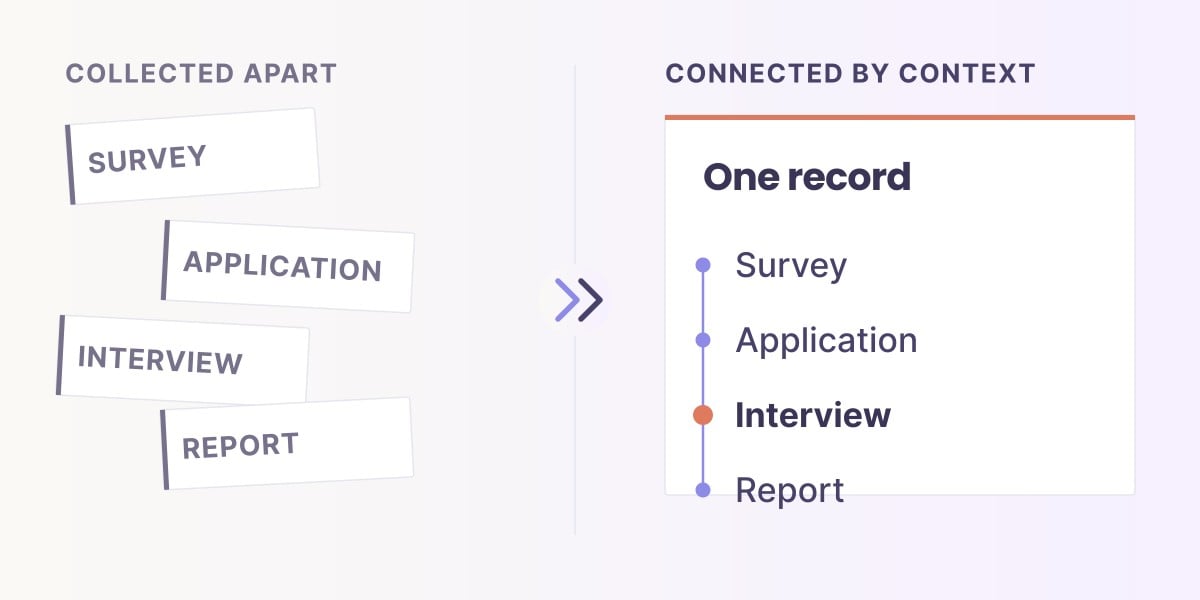
Building context across your data. In 30 minutes, see how to connect data and definitions across teams, with the right permissions and governance, so scattered data points become intelligence your teams and AI can actually use.
Save your spot (free)USE CASE / SOFTWARE GUIDE
CSAT survey software collects customer satisfaction ratings and comments about a product, service or interaction, then helps teams analyze the results and respond. Good software explains the experience behind the score and makes that knowledge useful in the next customer conversation or service improvement.
The score alone rarely tells a team what to change. A positive rating can sit beside a complaint about repeated contact; an overall improvement can hide a decline at one service stage. When survey responses, service notes and later follow-up remain separate, staff must reconstruct the explanation before acting.
AI can analyze themes as comments arrive. Sopact adds continuing customer and program context, making incoming analysis available through AI Assistance alongside relevant earlier evidence. Its value is understanding the relationship between feedback, the response and what happened next, rather than producing another isolated satisfaction report.
Keep the question, scale and response group clear.
Connect the rating with the customer’s explanation.
Use later evidence to understand whether the response helped.
CSAT describes reported satisfaction with the experience asked about. A purchase, support interaction and ongoing service relationship are different experiences. The question and timing should make that scope clear to the respondent and to the team reading the result.
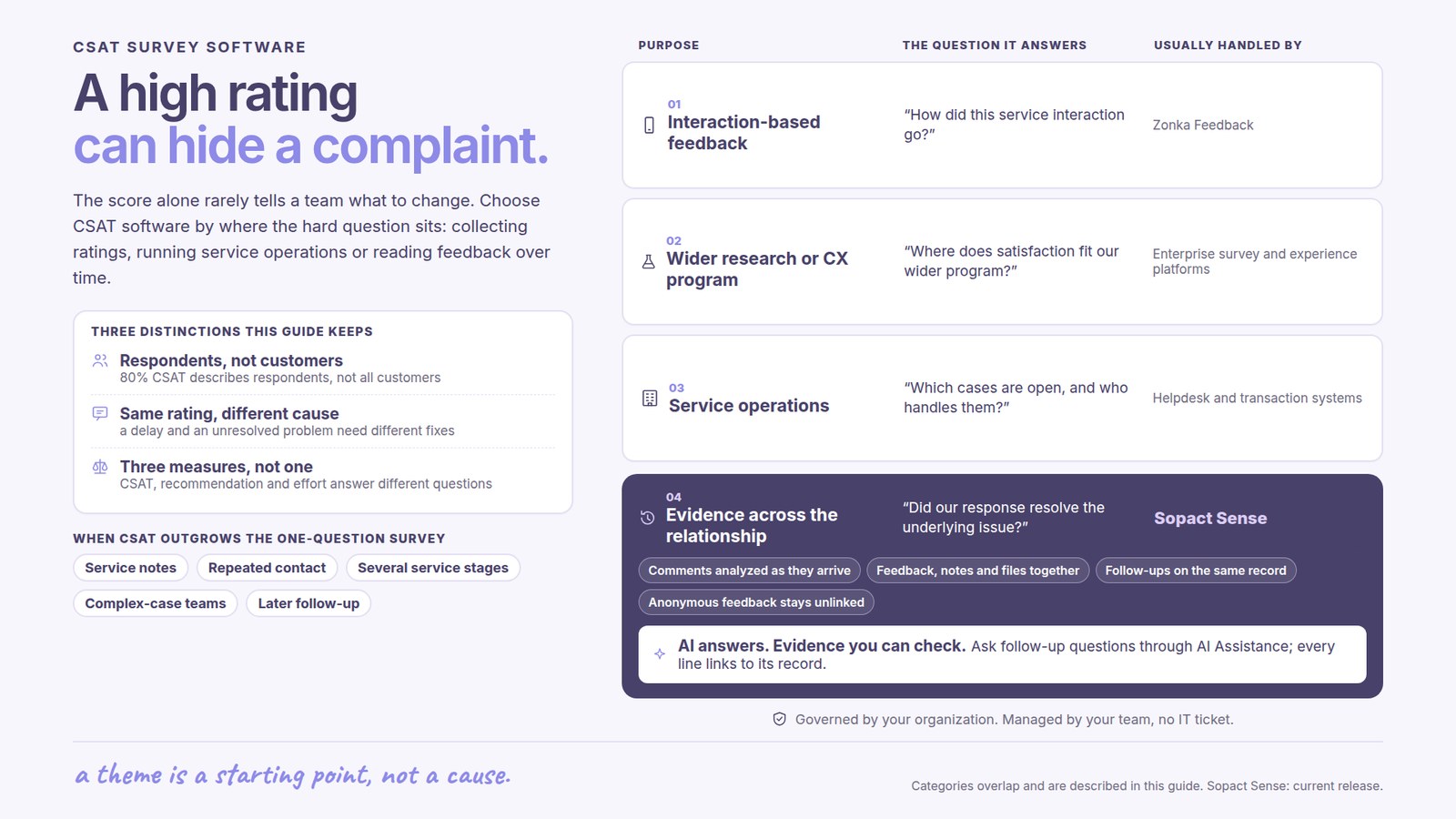
A common five-point calculation counts the two satisfied categories and divides by valid responses to that question. Qualtrics explains this approach. For example, 80 satisfied responses out of 100 valid answers gives 80% CSAT. That describes respondents; it does not establish that 80% of all customers were satisfied.
Keep participation and the reporting period beside the score. CSAT, recommendation likelihood and customer effort are related but distinct measures. They should answer a defined question rather than be blended into an unexplained experience score.
For interaction-based feedback, prioritize the relevant delivery channels, survey triggers and operational follow-up. Zonka Feedback documents multichannel CSAT collection, AI themes, automated workflows and a response inbox. Its capabilities extend beyond collecting a rating.
Enterprise survey and experience platforms are relevant when CSAT forms part of a wider research or customer-experience program. The evaluation should consider the broader reporting and administration needs rather than treating every tool as a one-question widget.
Sopact is relevant when the difficult question spans check-ins, comments, service notes, documents and later outcomes. Its customer-experience workflow keeps that evidence usable across the relationship. Existing helpdesk or transaction systems can remain where they perform the required operations.
A low rating after a delayed response and a low rating after an unresolved problem may require different improvements. An open question gives customers space to describe that difference. Good analysis retains it rather than assigning every negative comment to the same bucket.
Positive responses can also contain valuable friction. A customer may appreciate the staff member while describing a confusing handoff. Reading the comment with the score prevents a high average from becoming a reason to ignore an important recurring issue.
AI themes help teams find patterns sooner. They should remain connected to the original material so staff can inspect mixed opinions, unusual cases and interpretations that need correction. A theme is a starting point for understanding the service, not automatic proof of its cause.
Sopact connects identified, permitted feedback with the relevant customer history and program context. Analysis becomes available as data arrives in the agreed workflow. Staff can ask new questions through AI Assistance without preparing a fresh folder of survey exports and notes each time.
Consider an illustrative service program where a concern returns after the team records a follow-up. The useful question is whether the response resolved the underlying issue or only completed an administrative action. Later comments and service evidence make that distinction visible.
This is the difference between an answer about one survey and knowledge that remains useful over time. Staff can review recurring concerns, decide what deserves a closer conversation and consider later evidence. Anonymous feedback should remain unlinked; continuity applies where identification and use are appropriate.
Keep the question, scale and timing consistent when interpreting trends. A survey sent immediately after a response may tell a different story from one sent after the customer has tried the proposed resolution. A change in timing can change the result without proving that service improved.
Location and team comparisons also need the relevant service mix and response coverage. A team handling complex cases may receive different feedback from a team handling routine requests. The value of analysis is understanding those differences and identifying a useful response.
Track what follows the finding: which issue the team addressed, what changed and what later customers reported. This makes CSAT part of service learning rather than a number staff are asked to raise without an explanation.
A better CSAT process reduces the effort between receiving feedback and making an informed service decision. Useful outcomes include fewer repeated explanations, a clearer view of recurring concerns and evidence that a proposed change addressed the problem customers described.
Sopact’s typical setup estimate is two days to two weeks for an agreed scope, with personalization and continuing support. Collection channels and source-system connections should match the actual service. Incoming analysis and final resolution have different timelines: staff still need to discuss, decide and follow through.
The King Center story below shows open-ended program feedback becoming usable during training. It illustrates the analysis benefit, rather than serving as a claim of a measured CSAT increase.
It collects satisfaction ratings and comments, analyzes responses and helps teams use the findings in customer follow-up and service improvement.
Divide responses in the two satisfied categories by all valid responses to the question, then multiply by 100. State the scale and rule used.
No. CSAT asks about satisfaction with an experience. NPS measures stated likelihood to recommend using a different question and calculation.
Customers can give a positive overall rating while describing friction that matters. The explanation can reveal improvement opportunities hidden by the average.
It connects incoming feedback analysis with permitted customer context and later evidence, supporting continuing questions through AI Assistance.
Continue with a purpose
Related solution
Connect feedback with service context and later follow-up.
Explore the solution →Continue learning
Learn how collection and follow-through support service improvement.
Start learning →
Customer story
Open-ended program feedback became usable during training.
Read the story →Explore how Sopact can connect scores, comments and follow-up around the customer experience you need to improve.
See it with your workflow →