What should a post-event survey ask?
A post-event survey should ask about the event overall, the sessions, networking and next steps, then close with one open comment. These ten event survey questions make a short event feedback survey you can send the day after the event.
Overall
- How would you rate the event overall, from 1 to 5?
- How likely are you to attend again next year?
Content and sessions
- Which sessions did you attend, and how would you rate each one from 1 to 5?
- How relevant was the content to your work?
- Which topic should we cover next time?
Networking
- Did you meet the people you wanted to meet?
- How well did the event help you get to know other members?
Next steps
- What is one thing you will do differently because of this event?
- Would you like someone from the association to follow up with you, and about what?
One open comment
- Is there anything else you want us to know?
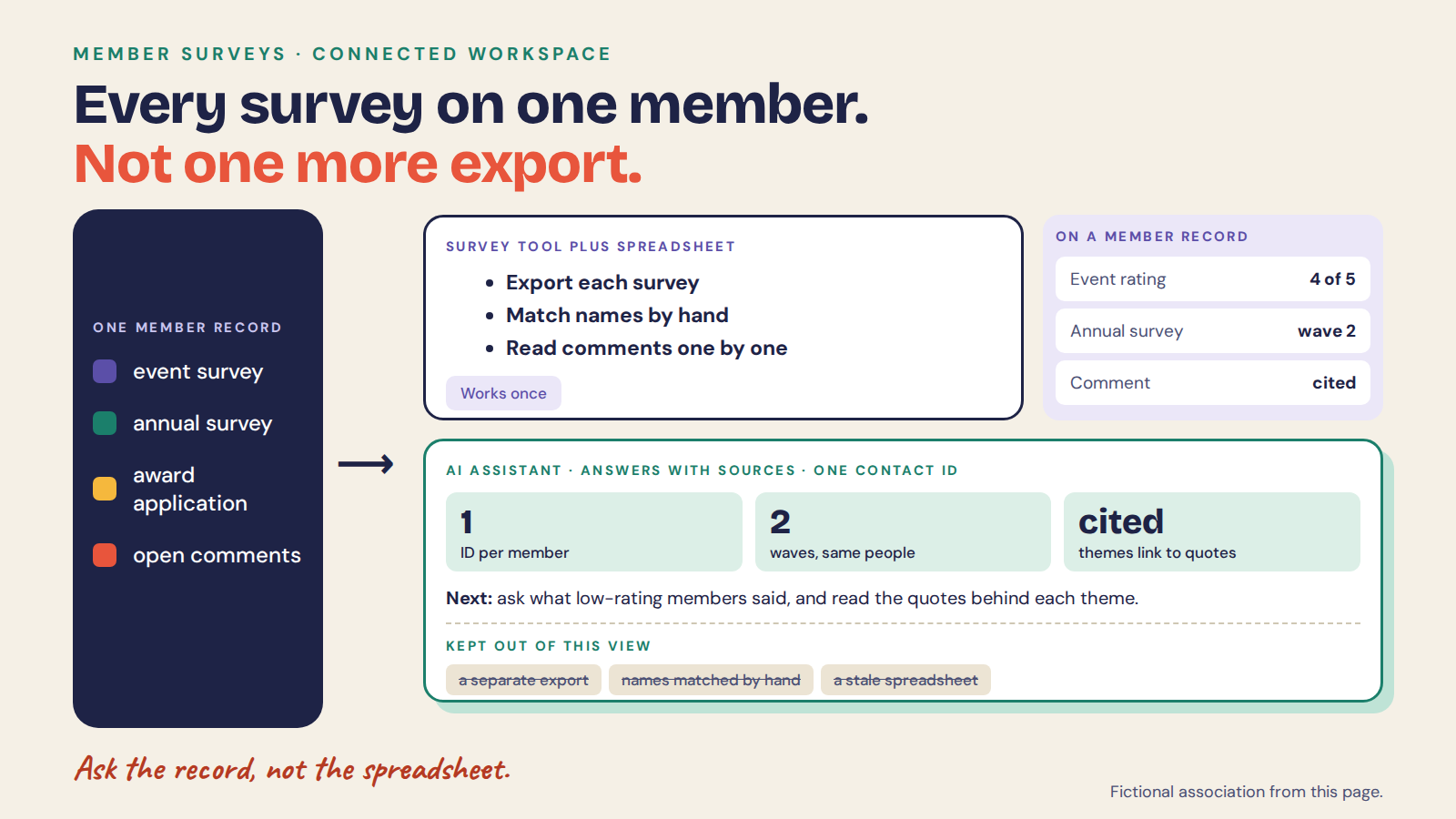
Ask once, and send the survey to people who are already on your member list, so each answer arrives under that member’s Contact ID instead of in a separate export. Use the same questions after your next event and you can compare the same members’ answers. The Academy lesson on running an event feedback survey walks through the steps.
The questions matter less than where the answers go. The rest of this page compares the places they can live.
What is member survey software?
Member survey software collects answers from members. The real choice is what happens next: a survey tool and a spreadsheet, the survey features in your AMS, or a member record that keeps every survey, comment and application on one person. Most teams start with the first and outgrow it the first time someone asks how this year compares with last.
What changed
- Survey tools now bundle AI analysis. SurveyMonkey’s enterprise page lists Analyze with AI, and Typeform describes topic and sentiment analysis.
- Associations are asking for more. At ASAE Annual 2026 they asked how to use their own connected data (ISG Solutions).
- AMS guides list survey builders among typical features (i4a), so collecting answers is not usually the gap.
- The gap is joining the answers to the member across years and systems.
What did associations say at ASAE Annual 2026?
ISG Solutions reported that associations at ASAE Annual 2026 were “ready for technology to work smarter”: the conversation moved from trying AI to asking where it saves staff time and where a person must stay involved. ISG Solutions, September 2, 2026.
The same write-up says most associations run several systems that do not talk to each other: an AMS, an event platform, a learning system, email and community tools. The need it describes is for those systems to work together, not for another tool. Staff described hours lost moving data by hand and reconciling transactions. It also says clean, connected data is what AI, personalization and analytics depend on, and that human connection remains the core of what an association offers.
Read that as a test for any platform on your shortlist: does each person stay one person across your systems, and can your own team ask questions of that data without a specialist?
Where is the bottleneck?
One person exports the survey, pastes it into a spreadsheet, hunts for the member number and builds the report. Everyone else waits.
The result answers the question you had nine months ago. By the time it reaches the board the comments are out of date, and nobody can say whether the same members answered last year.
Why are teams doing this themselves now?
Survey tools collect well. Reading the comments and matching people across waves is where teams lose weeks.
AI made reading text cheap, so associations are bringing it in house. The questions that follow are longitudinal: what changed for the same members after we acted?
What should decide your choice?
Eight things to check on your own data, in this order.
1. Self-driven: your team, not a specialist
Your program or research lead should run the survey and read the results. The test is whether they can do it alone.
Ask a non-technical colleague to build one.
Who does this well
- SurveyMonkey: its enterprise plan offers libraries of approved questions and shared workgroups.
- Typeform: builds forms that adapt to every respondent with conversational logic.
- Sopact: your team builds forms, reads results and asks questions without a specialist or an IT ticket.
2. One record per person: survey, note, document, attendance together
A survey answer belongs to a member. The test is whether it sits with their applications, events and renewal history.
A survey tool holds the answer. A member record holds the person.
Who does this well
- Survey tools: strong at the survey. Ask how a response is tied to a member across waves and to the AMS record.
- AMS survey features: sit next to the member record. Ask whether open-ended answers are analyzed.
- Sopact: one Contact ID per person. Applications, assessments, surveys and event feedback attach to it. Each chapter sees only its own records; the network sees the whole.
3. Volume: reads all of it, not a sample
A sample of comments misses the pattern. The test is whether every response is read.
Count how many comments your last report actually quoted.
Who does this well
- SurveyMonkey: offers AI analysis of survey results. Ask how it handles thousands of comments across waves.
- Spreadsheet plus a chat tool: works for one export. Results can differ when repeated.
- Sopact: reads every answer and every document, not a sample.
4. Longitudinal: finds the same person next wave, on a Contact ID
Next year’s survey should find the same member. The test is whether it does without a manual match.
Email addresses change. IDs should not.
Who does this well
- Survey tools: can resend a survey. Ask how waves are matched to the same person when an address changes.
- AMS: keeps membership history. Ask whether survey waves attach to it.
- Sopact: finds the same person in the next wave on a Contact ID rather than an email address, with the AMS member ID stored beside it so results can go back to the AMS.
5. Qualitative: reads what people wrote, with the quote
The comments are the reason members stay or leave. The test is whether they are themed and quoted.
Ask for themes with two quotes each, from your own data.
Who does this well
- Typeform: describes topic and sentiment analysis on responses.
- SurveyMonkey: lists Analyze with AI for survey results.
- Sopact: reads open text as it arrives, groups it into themes and keeps the quote with the record.
6. Documents: reads uploaded files, not just form fields
Some evidence arrives as files: applications, reports, certificates. The test is whether they are read.
Survey tools collect answers. A document is a different input.
Who does this well
- Survey tools: the pages we reviewed describe survey responses, not reading uploaded files as evidence. Ask.
- Spreadsheet: the file sits outside it.
- Sopact: reads uploaded files such as applications, reports and certificates, with the source cited.
7. Assistant: anyone can ask in plain language and see sources
Leaders want to ask a question without filing a request. The test is whether they can, and see where the answer came from.
Try it with a question that crosses two systems.
Who does this well
- Survey tool dashboards: answer the questions the dashboard was built for.
- General AI chat tools: answer from what you paste, without knowing who a person is.
- Sopact: anyone on the team can ask in plain language and see the sources. A chapter lead who asks sees only that chapter’s records.
8. Reliable: reproducible and traceable
A result in a board pack should survive a question. The test is whether you can repeat it and trace it.
Re-run the same question next week.
Who does this well
- SurveyMonkey: integrates with Salesforce and Power BI for triggering surveys and building dashboards.
- Spreadsheets: depend on who built the formulas.
- Sopact: answers can be checked against the records behind them, and the result is more consistent and auditable than pasting an export into a chat tool.
Where does each option stop?
Each of these does its own job well. The table shows where to test the rest on your own data.
| Option | Best at | Where it stops |
|---|---|---|
| Survey tool plus spreadsheet SurveyMonkey, Typeform | Quick, familiar surveys; AI analysis on one survey | Matching members across waves and systems; comments and files at scale |
| AMS survey features | Surveys next to dues and events | Open-text analysis and documents: ask to see it on your data |
| Sopact Evidence layer | Every survey, comment and application on one Contact ID; chapters scoped | Not an AMS: dues, billing and ticketing stay in your AMS |
Can you keep your survey tool and AMS and add to it?
Yes. Keep the survey tool if your team likes it, and keep the AMS for dues. Move the workflows that need history, comments or documents to Sopact. Load your member list from an AMS export or a CSV, match on email and member number, and keep the AMS member ID beside each Contact ID.
A post-event survey then goes to the people on your list, and a second wave goes to the same people later. Both sit on the same record, so a repeat wave is a comparison, not a new spreadsheet.
The limit: bringing in results from a survey tool’s own export is a file your team prepares today. Connections to survey tools and to AMS products are what’s next, not available today. Start with one member survey and compare it with your last spreadsheet report.
Frequently asked questions
How many questions should a post-event survey have?
Ten or fewer. Cut any question you would not act on, and keep the wording the same from one event to the next so the waves can be compared.
What is the best member survey software?
For a single simple survey, most tools work. For surveys you repeat and compare with other member data, choose one that keeps a persistent ID per person and reads the comments.
Is a survey tool plus a spreadsheet enough?
For one survey, yes. It gets hard when you repeat waves, have chapters, or need to tie answers to applications and renewals.
Does Sopact replace SurveyMonkey or Typeform?
It can for workflows that need history and open-text reading. Some teams keep a simple tool for one-off polls.
Can chapters run their own surveys?
Yes. Each chapter works in its own folder with access limited to its own data, including when it asks the AI Assistant. The network owner sees the combined results.
What should we ask any vendor to demo?
Two survey waves matched to the same members, ten comments themed with quotes, and a question that crosses the survey and an application.
For the AMS side of the choice, see association management software. For a general comparison of tools, see survey analysis software.