


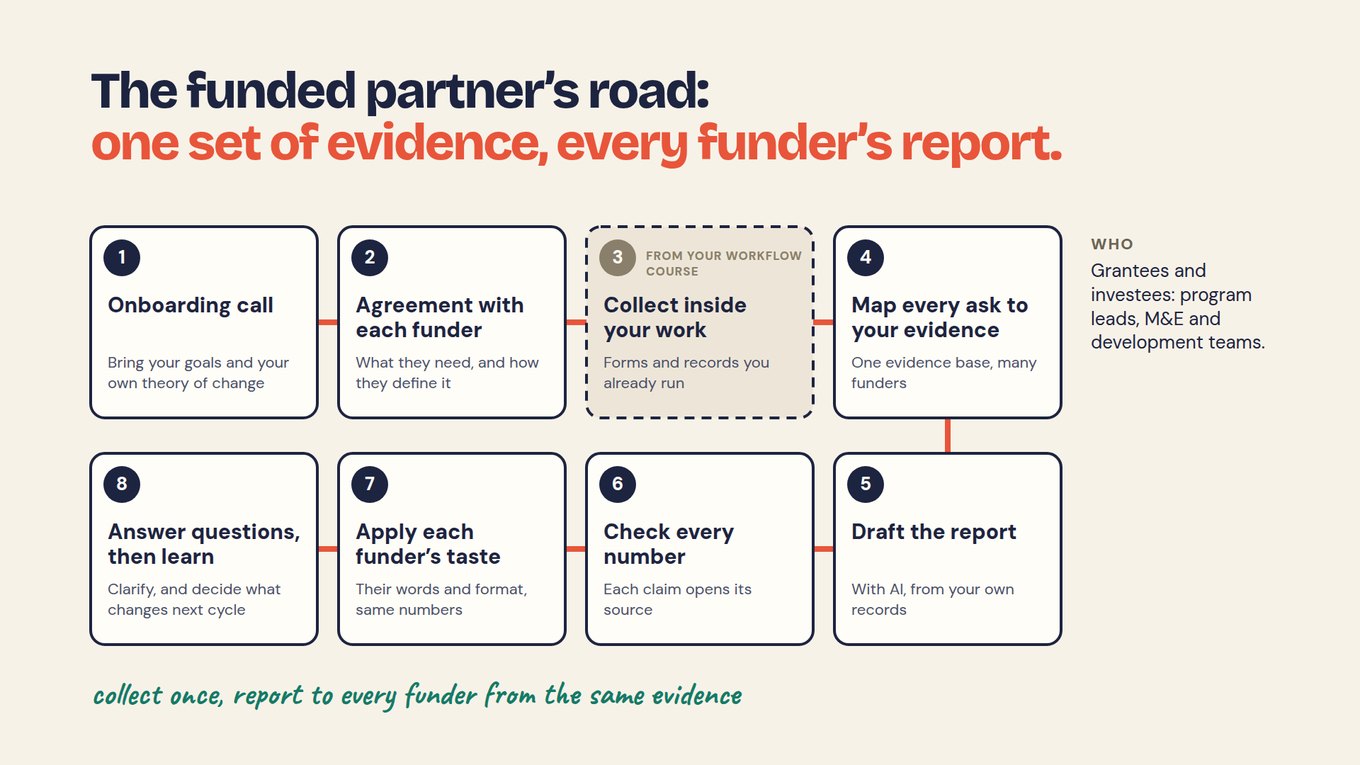
Your evidence plan already says what is needed. Add the collection moment and response here.
Follow the work, not the survey calendar.
Completion: record the learner, course and completion date.
30-day follow-up: ask about the defined skill and checkpoint.
Review: check coverage, unclear answers and comments.
Action: assign the support change or clarification.
Next check: record whether the action happened and what evidence will be reviewed.
This is the fictional training workflow. In a partner network, the natural moment might be a quarterly return; in case work, a service visit. Ask who can reliably observe the evidence and when.
Keep a small shared core and useful local detail.
Chapters and sites can use different local questions while sharing the fields needed for a common decision. Reuse suitable registration details and refresh information that changes. Map local fields only when their meanings, units and timing are compatible.
A participant identifier and an event identifier serve different jobs. Keep repeated observations rather than overwriting the previous answer. Anonymous feedback needs its own boundary; do not attach identity merely to make a join convenient.
Check what arrives without replacing uncertainty.
- Check required context, such as reporting period and source.
- Flag possible duplicates without merging people automatically.
- Separate event time from submission time.
- Retain unknown, declined and not-applicable states where appropriate.
- Route conflicts to a named reviewer and preserve corrections.
A valid date can still be the wrong date. An attached document can cover the wrong period. Format checks help, but they do not establish accuracy.
Leave room for what you did not predict.
A comment may reveal a barrier your metrics never anticipated. Keep the original words and review proposed themes. A field observation may need immediate action even if it is not an outcome indicator. Record the issue, location, owner and resolution evidence rather than burying it in a report.
Use a neutral question when a number needs context. “What helped or made this difficult?” leaves room for an unexpected answer. Do not require a long explanation when it has no justified use.
Pilot the whole handoff.
Run one complete, one incomplete and one conflicting submission through collection and review. Check whether the intended staff member can see the necessary evidence without unrelated private information. Record the effort required to maintain the process.
Sopact can help connect incoming forms, documents and analysis in a configured workflow. Test the actual matching, permissions and review behavior instead of assuming every source connects automatically.
Your next step
Use the collected sample to check a reported number. Carry the reviewed finding into The Loop, where it becomes an action and a follow-up check.
How do you keep collection useful without overloading staff and participants?
Reuse evidence already created by the work, collect only what can change a decision or satisfy a justified requirement, and place each question with the person and moment best able to answer it. More fields do not create more insight.
- Do not duplicate operational evidence. If attendance already exists, link it; do not ask the participant to report it again.
- Do not collect context from the wrong person. Staff can record an action; participants should describe their own experience.
- Do not ask too early or too late. Baseline belongs before the service can affect the measure; a barrier question belongs when the barrier becomes visible.
- Do not force narrative into a number. Keep exact text, approved codes, and AI interpretation separate.
- Do not confuse missing with negative. “Attendance not recorded,” “did not attend,” “declined to answer,” and “unreachable” are different states.
- Do not create an alert without an owner. A risk signal needs a responsible person, response window, and documented resolution.
Watch the method in practice
Follow the connected collection moments using synthetic participant data. Then identify the equivalent moments in your workflow.
Training Program Data: From Application to Job Placement · 4:13
Add this to your plan
Record what you decided in this chapter in the same working evidence plan you started in Foundations, so definitions, sources and checks stay in one place.