


Academy / Foundations / Lesson 5
Additional course links
You leave with: A wave-status register for your follow-up and a result sentence that states coverage, unknowns and the range they allow.
Where this fits: Lesson 5 reports that 25 of 40 completers answered the 30-day follow-up and 15 outcomes are unknown. This deep dive answers the question that sentence raises: who are the 15, and could they change the result? You bring back a wave-status register and a coverage sentence for your plan.
What is survey attrition in a longitudinal study?
In short: Attrition is the loss of people from later waves of a study that follows the same people over time. It reduces precision, and it distorts results when the people who stop answering differ from those who stay.
A rising average among the people still answering does not, by itself, show improvement for the cohort you started with. It may only show that the people who were struggling stopped replying.
Who are the 15 who did not answer?
In short: Known people with unknown outcomes. Keep them in the denominator as “unknown”, never as “no”, and never let them disappear from the file.
Training example · fictional
The spring cohort has 40 completers. At the 30-day follow-up, 25 responded: 15 used the skill at work and 10 did not. For the other 15, the outcome is unknown. The honest result is “15 of 25 respondents (60%) used the skill; 25 of 40 responded (62.5%); outcomes are unknown for 15.”
The unknowns set a range. If none of the 15 used the skill, the cohort figure is 15 of 40, or 37.5%. If all of them did, it is 30 of 40, or 75%. Those are bounds, not estimates. Reporting 60% as the cohort result assumes the 15 look like the 25.
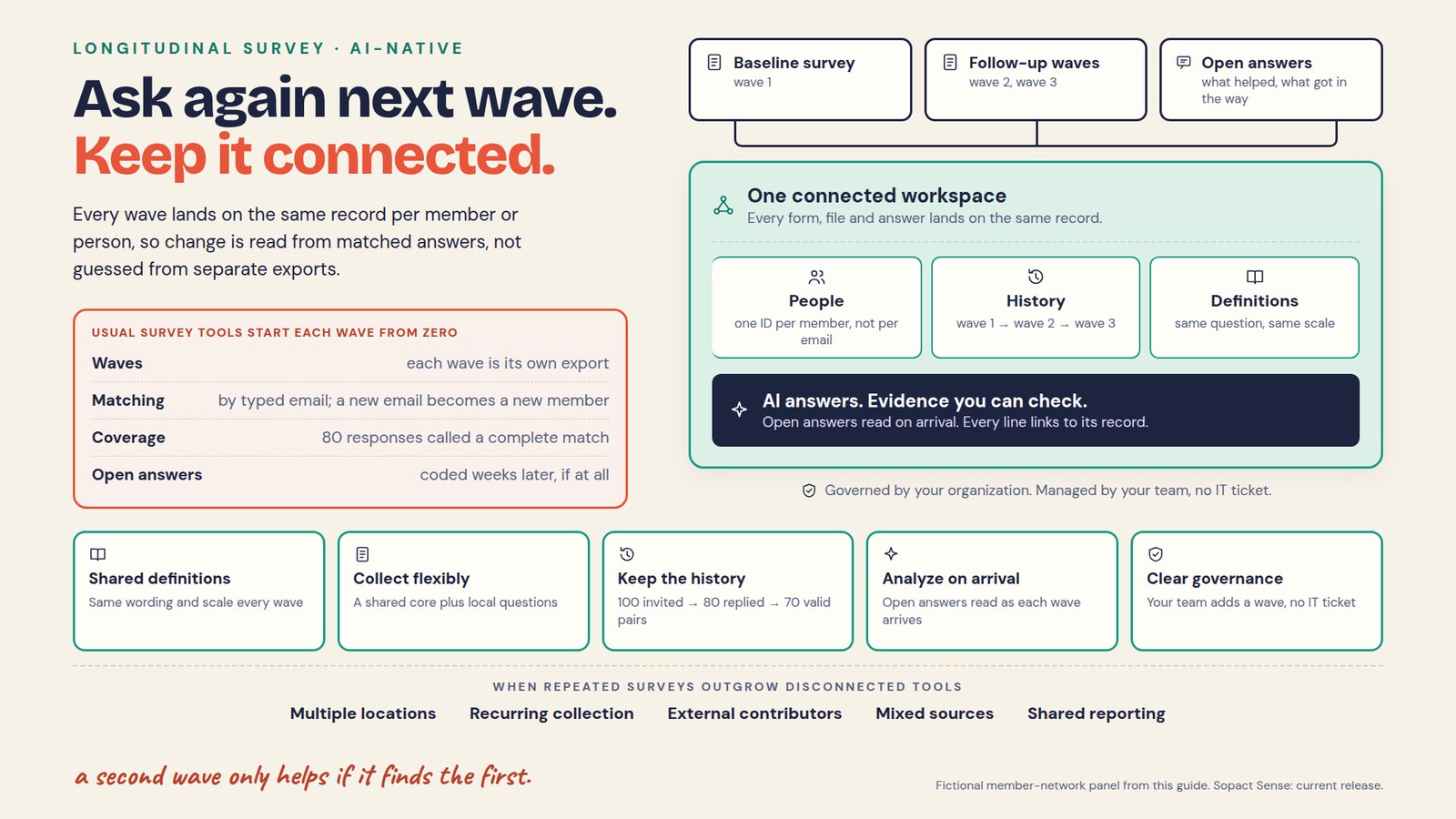
The usual path makes this worse. A survey export contains only the 25 who answered, so when it goes into Excel and then into ChatGPT, the 15 are not in the data at all. Nothing marks them as missing; they are absent. When the follow-up is added to the ID created at intake instead, each of the 40 has a row for the 30-day wave, and a missing answer is a visible gap on a named record.
Is a missed wave the same as leaving the program?
In short: No. Someone can miss a survey and stay in the program, or leave and still answer. Record program status, survey status and missing answers as separate fields.
| Status | Meaning | What to check |
|---|---|---|
| Not yet due | The wave has not arrived for this person | Completion date and the send window |
| Due, no response | No answer by the cutoff | Delivery, contact permission and any known reason |
| Returned, answer blank | Survey came back without the outcome question | Routing, optional questions and whether a usable pair exists |
| Missed one, returned later | Intermittent non-response | Keep the later answer; not a permanent dropout |
| Withdrawn or ineligible | A documented change in status | Recontact limits and the stated denominator |
The Agency for Healthcare Research and Quality’s guidance on missing data separates reasons for missing observations that are related to the outcome from those that are not. The point carries over: a missing answer does not reveal its own cause. Record “reason unknown” when that is true, and avoid labels such as “disengaged” inferred from silence. A bounced email looks exactly like attrition in an export.
How can an average rise when no one changed?
In short: When the people who leave started lower than the people who stay. The mix of respondents changed, not their scores.
A separate fictional exercise on a 0–10 confidence scale: 100 people answer at baseline, 60 give a usable endline score and 40 do not. Assume each of the 60 has the same score at both waves.
| Group | People | Baseline mean | Endline mean |
|---|---|---|---|
| All baseline respondents | 100 | 5.0 | Unknown for the full group |
| Usable scores at both waves | 60 | 6.0 | 6.0 |
| No usable endline score | 40 | 3.5 | Missing |
The baseline mean is (60 × 6.0 + 40 × 3.5) / 100 = 5.0. Comparing 5.0 at baseline with 6.0 at endline looks like a one-point gain, yet the same 60 people average 6.0 both times: their change is zero. The missing 40 may have improved, declined or stayed the same. Their lower baseline is a warning about who left, not a measure of their later outcome.
How do you report matched change and coverage together?
In short: Calculate change only for people with both answers, say how many that is out of how many eligible, and describe the people you did not hear from.
For the exercise: “Sixty of 100 baseline respondents gave a usable endline score. Their mean was 6.0 at both waves. The 40 without an endline score averaged 3.5 at baseline; their later outcomes are unknown.” That describes the matched group, not everyone enrolled. Matching stops you comparing different people; it does not remove selection bias or show cause.
AAPOR’s standard definitions stress that a response rate alone does not establish how much non-response error exists. Report rates and case statuses, then look at who is missing. Define retention for a wave as the people meeting your response criterion divided by the eligible cohort: 60 of 100 in the exercise, 25 of 40 in the training example. Name the criterion before you call a figure “attrition”, because a returned survey with a blank outcome question counts as a response but not as a usable answer.
What goes in a wave-status register?
In short: One row for every eligible person at every wave, including the waves they did not answer. Start from the roster, not from the responses.
01 · COHORT
Every eligible person, their ID and start date.
02 · EXPECTED
Each wave they are due, with window and cutoff.
03 · STATUS
Received, partial, declined, undeliverable or unknown.
04 · PAIRS
Which answers form usable, comparable pairs.
05 · COMPARE
Responders and non-responders on what you know.
06 · SNAPSHOT
Freeze a dated cutoff for each report.
Built from the eligible roster, a person absent from every later export still has a row.
Keep cumulative retention from intake and participation at each wave. Someone who returns after a missed wave stays visible, and a changed eligibility rule must not quietly improve the numbers.
How do you compare responders and non-responders?
In short: Use what you already hold on the same ID: attendance, intake scores, site. Differences point to where to look; similarity does not prove the missing outcomes match.
For the training cohort, compare the 15 non-respondents with the 25 respondents on sessions attended and intake confidence. If the 15 attended fewer sessions, the 60% likely flatters the cohort. If they look similar, that is reassuring on those measures only; they may still differ in ways you did not record.
If you need estimates beyond the observed pairs, bring in someone with methods expertise. Complete-case analysis, weighting, multiple imputation and longitudinal models rest on different assumptions, and none is a universal repair. A simulation study of attrition in longitudinal data shows how the choice of method under different missing-data scenarios affects bias. Never fill missing scores with zero, the baseline or the average to complete a chart.
How do you follow up without pressuring people?
In short: Send neutral reminders through channels people agreed to, check for delivery problems first, and record which answers came from later follow-up.
Keep a short list: ID, due wave, last attempt, preferred channel and owner, visible only to the staff who need it. Do not ask for a positive account. When missing answers cluster at one site, look at delivery before blaming anyone: a failed invitation batch and a service problem need different fixes.
A limit worth stating plainly: follow-up improves coverage but never guarantees unbiased results, and silence is not evidence of anything.
What does governing the follow-up at collection change?
In short: The denominator is in the data. Every follow-up is added to the ID from the first form, so the people who have not answered are known records, not missing rows.
In Sopact Sense, the 30-day survey is another workflow on the same record as intake and attendance. The AI Assistant can answer “which of the 40 completers have not answered the 30-day follow-up, and how many sessions did they attend?” with each line linked to a record you can open. You choose which fields go to the AI, so names and contact details can stay out of the model while the follow-up list stays with the staff who make the calls. The Assistant reports who is missing; it cannot say what silence means.
ASK ANY TOOL, INCLUDING OURS
Ask: “How many people were due the follow-up, how many answered, and who did not?” A good answer gives three separate numbers and lets you open each missing record. Then ask: “Compare attendance for respondents and non-respondents.” A good answer shows both groups’ counts and does not treat the non-respondents as “no”.
Try it on your own data
Open your working evidence plan ↗
- List every person eligible for your next follow-up by ID, with the wave, window and cutoff.
- Give each a status from the table above, and add “reason unknown” where that is true.
- Write the result sentence with respondents, eligible and unknowns, and the range the unknowns allow.
- Name one thing you already hold on the same ID that you will compare between responders and non-responders.
Check your reasoning
A strong register has 40 rows for the 30-day wave, not 25. The sentence reads “15 of 25 respondents (60%) used the skill; 25 of 40 responded (62.5%); outcomes are unknown for 15; the cohort figure lies between 37.5% and 75%.” It compares the 15 with the 25 on attendance before anyone calls 60% the cohort result.
Questions teams ask
How much attrition is too much?
No single percentage settles it. What matters is the amount, the reasons, how responders and non-responders differ, and the claim you want to make. A 62.5% response with similar groups can support a careful sentence; the same rate with the non-respondents concentrated among low attenders cannot. Report the rate and investigate the pattern.
Does matching baseline and endline remove attrition bias?
No. Matching describes change among the people with usable pairs, and stops you comparing two different groups. Those people may not represent the original cohort, and matching does not establish that the program caused any change.
Are survey non-responders program dropouts?
Not necessarily. Keep program status and survey status as separate fields. A person can miss a wave while still active, or answer a follow-up after leaving. Treating every non-response as a dropout can hide a delivery problem with the survey.
Should missing scores be replaced with zero?
No, not to complete a table. Zero is an observed value only when the measure and evidence support it. Replacing missing answers with zero, the baseline or the average imposes an assumption and hides uncertainty. If a statistical method estimates missing values, keep estimated and observed values clearly apart and document the method.
What if someone returns after a missed wave?
Keep the later answer and note which comparisons now have usable pairs. Do not discard the person as a permanent dropout. In the register, the missed wave stays marked and the return stays visible.