play icon for videos

How to Build a Donor Impact Report From Youth Program Data

A youth-services nonprofit builds five connected reports from one cohort — reach, year-over-year growth, story plus outcome, multi-year journey, and synthesis.

Updated
July 17, 2026
360 feedback training evaluation
Use Case

What is a donor impact report?

A donor impact report is an account, written for the people who funded a program, of what their gift changed: who was reached, how they progressed, and the stories behind the numbers — with each figure traceable to its source and shared only at the consent level the participant set. It is stewardship backed by evidence, not a thank-you with a photo. The design is the easy part; the verifiability is what earns the next gift.

Most donor reports are a designed PDF: a hero photo, one big number, a quote chosen because it reads well. It builds goodwill and cannot survive a question. When a major donor asks how you know the program moved the needle, and whether they can see it for the students they funded, they are asking for something a designed PDF cannot produce — a number that clicks back to a real participant's data, filtered to their gift.

Key takeaways

  • A donor impact report shows what a gift changed — reach, progress, and the stories behind the numbers — with every figure traceable to its source and shared at the participant's consent level.
  • A designed PDF builds goodwill; it cannot survive a question. The trust bar for a major or corporate donor is whether any number in the report can be verified back to a real participant.
  • Sopact calls that standard the Donor Trust Chain: every number a donor sees clicks back to the participant response behind it, under a persistent ID and the consent level the participant set, so a donor can verify any figure and no story travels beyond its permission.
  • Donors fund people who stay for years. A multi-year journey report shows a trajectory a single-year report cannot, which is the retention story donors respond to; the retention mechanics live on the donor retention page.
  • One evidence base personalizes to every donor. A report filtered to each donor's gift attribution is a view onto the same record, not a new report written by hand.

A donor report that survives a question, not just a glance.

The reason a polished donor PDF feels fragile is that the number and its source were separated long before the report was designed. The figure came out of a spreadsheet, the quote came out of a folder, and neither can be traced back to the student it describes. A designed report hides that gap; it does not close it.

Sopact calls the alternative the Donor Trust Chain: every number in a donor's report clicks back to the participant response behind it, under a persistent ID and the consent level the participant set. A story marked share-internally never appears in an external report; a number a donor questions resolves to the exact response in one click. The practice underneath is on the impact reporting page, and the document structure it can borrow on the impact report template page.

Consent is part of the chain, not an afterthought. Each response carries a level — share internally, share named, share externally, or anonymize — so the report a donor receives is both verifiable and permitted, which is exactly the combination a designed PDF cannot guarantee.

What corporate and major donors actually ask for now.

Stewardship tooling tracks the gift, not the change. Donor CRMs such as Salesforce NPSP, Bloomerang, Raiser's Edge, and Virtuous record who gave what and when, and they do it well; none of them holds the participant outcome the gift produced. So the impact report becomes a manual export, and the donor's follow-up question has no answer in the system.

The question major and corporate donors increasingly ask is not for more design, it is for proof: what did my money change, for whom, and can I see it. A multi-year donor also asks the retention question — are the students I funded still on track — which a single-year report cannot answer; that trajectory argument, and the donor-retention mechanics behind it, live on the donor retention page.

The one test that separates a stewardship PDF from a Donor Trust Chain: hand a donor a live link to their own slice and see whether they can click a number down to the participant response it summarizes. If the number is a static image, you have a design artifact; if it resolves to a source, you have evidence.

How to build a donor impact report, from one cohort.

You build a donor impact report from five connected reports off one cohort: reach at enrollment, growth over the year, a story paired with its outcome, the multi-year journey, and a donor-personalized synthesis — each resting on a persistent participant ID assigned at intake. They are not five documents; they are five views of one record.

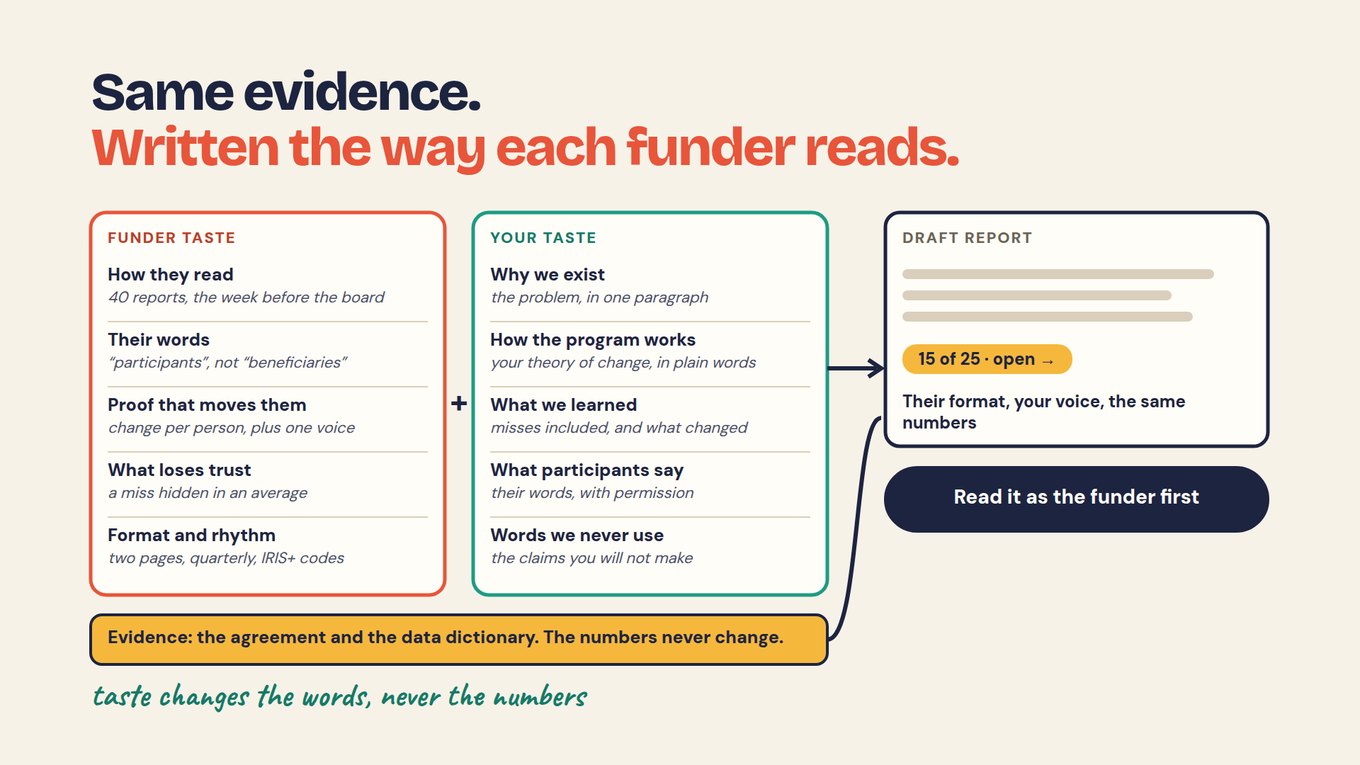
The personalization is the payoff. Because every figure sits on a record that also holds the gift attribution and the consent level, each donor's report is filtered to what their gift touched, at the permission the participants set, without rewriting anything. The table below pairs each of the five with what the donor sees and what it is built from.

Five connected reports from one donor cohort.

A donor impact report is built from five connected reports off a single cohort — reach, growth, story, journey, and synthesis — each drawn from the same persistent participant record rather than assembled separately. Read the last column to see why a personalized report per donor is a view, not a rewrite.

Five connected donor reports, one record
ReportWhat the donor seesBuilt from
ReachWho their gift enrolledIntake + demographics on a persistent participant ID
GrowthHow students progressed this yearBaseline → follow-up on the same record
StoryA story paired with its outcome numberA verbatim quote tied to the student's data
JourneyThe multi-year trajectory of a studentThe same ID across school years
SynthesisTheir own slice, gift-attribution filteredA personalized view of all four, at the set consent level

Every chip in every one of these clicks back to the response that produced it, at the consent level the participant chose. That is the Donor Trust Chain: a donor can verify any number in their report, and no story appears beyond its permission.

A designed PDF tells a donor a story. The Loop lets them verify it.

A donor report assembled once a year, by hand, is out of date the day it ships and impossible to audit when a donor asks. Reading participant data as it arrives means the outcome number and the response behind it are already connected when the stewardship moment comes. That is the premise of the Loop, Sopact's method for continuous impact intelligence: collect clean at the source, analyze the moment data arrives, improve while you can still act.

The Loop is what turns stewardship from a claim into something checkable. Every figure traces back to the exact participant response it came from, so a donor's live link is not a dashboard of assertions but a report whose numbers each resolve to a source. That standard has its own chapter in traceability and transparency.

One method, three moves that never stop

1 · CollectClean at the source; every response on the same student record, with a consent level.
2 · AnalyzeOn arrival; each number defined once and tied to its source response.
3 · ImproveIn time to act; steward with current evidence, not a year-old PDF.

Then the cycle runs again, a little sharper each year. Read the method: the Loop methodology →

Build a donor report from your own data this week

The fastest way to feel the trust difference is to make one number verifiable. Each prompt below pastes into Sopact Sense's Assistant, or reasons through with your team; the arrow above each links the Academy walkthrough that shows the expected output and the tips.

Academy walkthrough → Write a cited donor narrative

Draft a donor's outcomes section from these themed results for the students their gift funded: [PASTE THEMES + FIGURES + GIFT ATTRIBUTION]. For every claim, attach the verbatim quote or figure it rests on and its source id, and respect each response's consent level — do not name a student marked anonymous. Mark any claim without a source as UNSUPPORTED rather than writing around it.

Academy walkthrough → Show a donor where every number came from

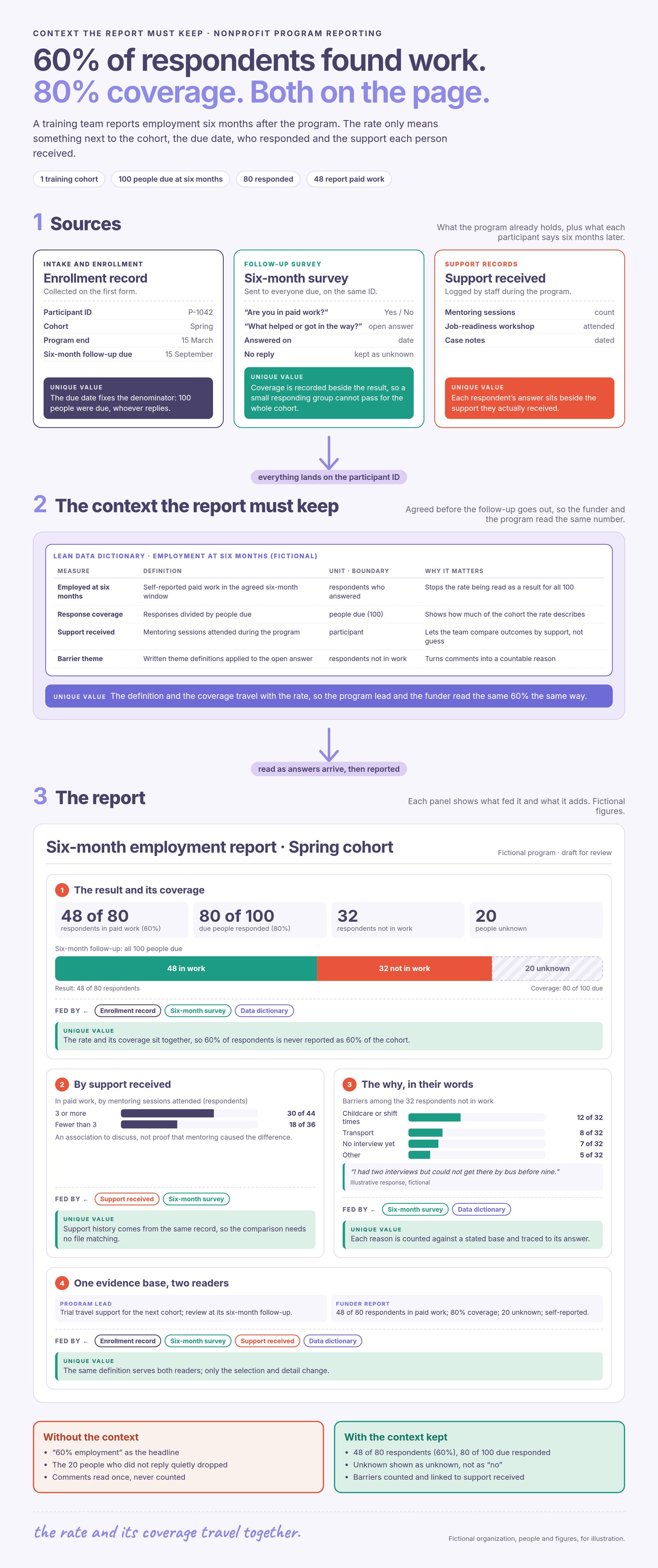
For each figure in this donor report, build a source row so the donor can verify it: the number, which participant responses it came from, the one-line calculation, and any benchmark with its source. If a source is missing, write MISSING SOURCE rather than filling a plausible one. Return a table: Figure / Source / Calculation. Figures: [PASTE YOUR KEY NUMBERS]

Academy walkthrough → Define each number once, across years

Turn these outcome measures into a data dictionary so a student's multi-year journey stays comparable: [PASTE MEASURES]. For each field give the name, a one-sentence definition, the unit or answer type, and the allowed values. Flag any definition that could drift between school years and propose the stricter reading. Return a table: Field / Definition / Type / Allowed values.

Academy walkthrough → Choose the few numbers a donor believes

From this program's outcomes, propose the three-to-six numbers a donor actually needs to believe the gift worked. Write each as: who is measured / what changes / by when, and mark OUTPUT or OUTCOME. Leave off vanity metrics. Return a short table: Claim / Metric / Output-Outcome. Outcomes: [PASTE]

Learn the how-to in the Academy

Each walkthrough is short and practical: what to do, the prompt to run, the output to expect, and the tips that keep it reliable.

Watch: why a donor can dismantle a designed impact PDF in thirty seconds — and what a verifiable donor report does instead.

Frequently asked questions

What is a donor impact report?

A donor impact report is an account for the people who funded a program of what their gift changed: who was reached, how they progressed, and the stories behind the numbers, with each figure traceable to its source and shared at the participant's consent level. In Sopact's framing, that verifiability is the Donor Trust Chain, and it is what separates stewardship evidence from a designed thank-you.

What should a donor impact report include?

Five connected views off one cohort: reach at enrollment, growth over the year, a story paired with its outcome, the multi-year journey, and a donor-personalized synthesis. Each rests on a persistent participant ID assigned at intake. Sopact keeps all five on one record, so a report personalized to a single donor is a filtered view rather than a separate document.

How do I write a donor impact report?

Start from the record, not the layout: assign a persistent ID at intake, pair every outcome with the response that explains it, filter to each donor's gift attribution, and respect each participant's consent level. Then lead with what changed and let every number carry a citation. Sopact builds the Donor Trust Chain into collection, so the report is verifiable rather than designed to look finished.

What reporting on impact do corporate donors usually receive?

Corporate donors typically receive a stewardship report — a designed summary of reach and a headline outcome, often tied to a specific fund or campaign. What they increasingly ask for is proof: an outcome they can verify for the people their gift reached. Sopact gives a corporate donor a live, gift-attributed slice where every number clicks back to a source response at the permitted consent level.

What does a good donor report example look like?

A strong donor report pairs each headline number with a real story and lets the reader trace both back to the participant. It shows reach, year-over-year growth, and, for multi-year funders, a trajectory a single-year report cannot. Sopact's examples are built as live slices rather than static PDFs, so the donor can verify any figure instead of taking it on faith.

What is the difference between a donor report and a stewardship report?

A stewardship report thanks a donor and summarizes the gift's use; a donor impact report goes further and evidences what changed for the people the gift reached, with each number traceable. They overlap, and the stronger stewardship report is really a donor impact report. Sopact keeps the underlying Donor Trust Chain so acknowledgment and evidence draw from the same record.

How do I make donor report numbers verifiable?

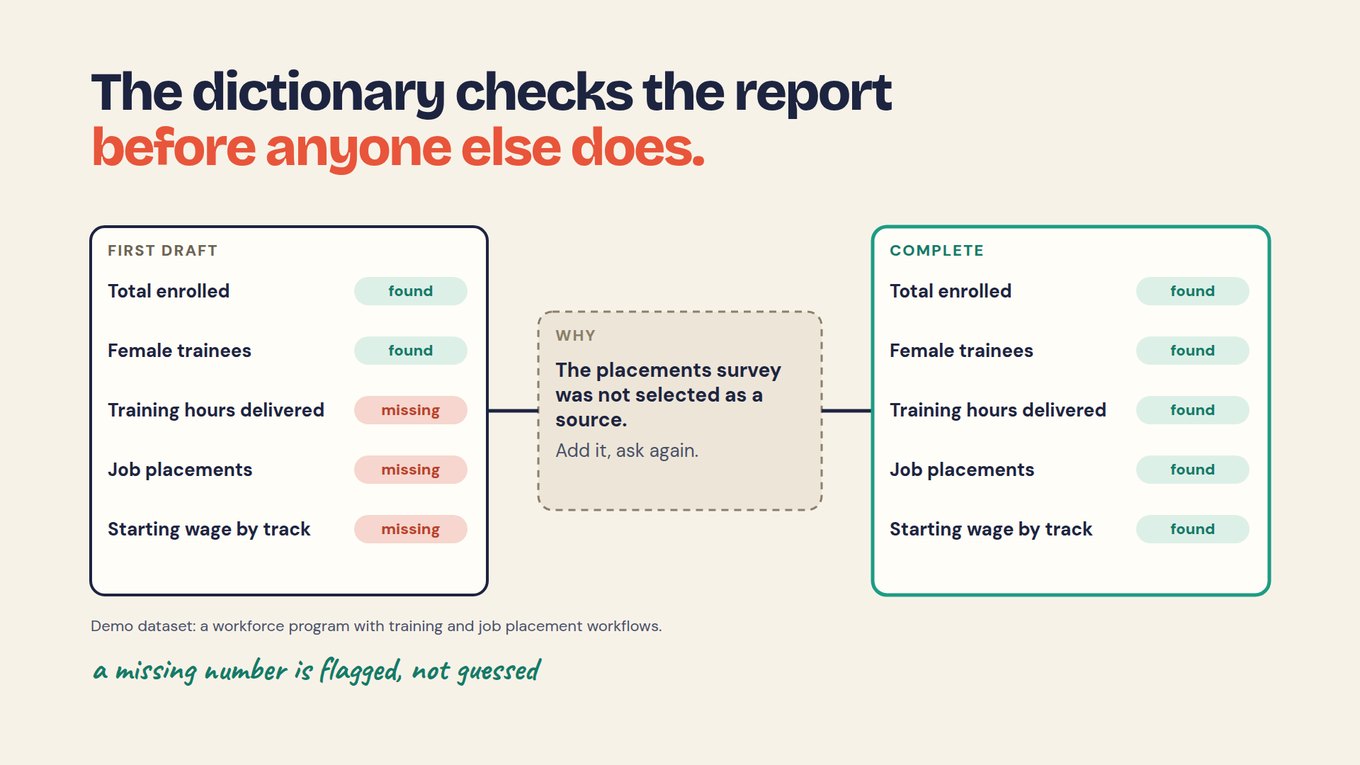
Keep each figure tied to the exact participant response, benchmark, and calculation behind it, so any number can be followed back in a click. A trail added after a PDF is designed is not verifiable; it has to be kept as the data is collected. Sopact's Donor Trust Chain holds that link on every figure, which is what lets a donor check a number themselves.

How do I personalize a report for each donor?

Attach a gift attribution and a consent level to the records a donor's gift touched, and the report becomes a filtered view of the same evidence base — their students, their outcomes, at the permission participants set. Sopact generates a live, per-donor slice from one record, so personalization is a filter rather than a hand-written report per donor.

What is a multi-year donor impact report?

It is a report that follows the same students across several years, using a persistent ID to show a trajectory rather than a single-year snapshot. Donors who fund a cohort over time respond to that arc, and it is the heart of the retention story; the retention mechanics behind it are covered on the donor retention page. Sopact keeps the ID stable so the journey holds together.

What is the difference between a donor impact report and a nonprofit impact report?

A donor impact report is personalized to one funder and their gift; a nonprofit impact report is the organization-wide account across every program, covered on the nonprofit impact report page. They share the same underlying record, which is why Sopact can produce a single donor's slice and the whole-organization view from one evidence base without recollecting anything.

Next: see the organization-wide version on the nonprofit impact report page, or the practice underneath on the impact reporting page.