What is a Bonterra grant management alternative?
For a corporate giving team, a Bonterra grant management alternative usually means moving the evidence work, which covers reading applications, collecting grantee reports and answering leadership's questions about results, into a workflow designed for it, while Bonterra keeps running employee giving, matching and grant payments. Replacing the whole giving platform is a separate decision, and often one you do not need to make.
This comparison covers Bonterra's grantmaking offerings, including CyberGrants, which Bonterra describes as a platform connecting corporate grantmaking and employee engagement. Bonterra's current grant management page also describes AI-assisted application review, committee scoring, disbursement and impact reporting, so it would be wrong to assume Bonterra only routes applications or stops at the award. It is not a comparison of every product in the Bonterra family. Sopact publishes this guide, the sources were checked in September 2026, and a demonstration on your own programs should settle what documentation cannot.
The Monday questions a corporate giving team gets
Sopact's founder, Unmesh Sheth, opens one part of the video with a Monday morning that grant managers keep describing to him, told through Maya, whom he presents as a composite of the grant leads Sopact works with. Six requests land at once. The board asks what its ten largest grants achieved. The CEO has a donor call at 11 and needs figures for it. Finance asks how each grantee's spending compares with its budget, and monitoring and evaluation asks how this year differs from last. A program officer suspects some fellows are about to drop out. The auditor wants compliance evidence by Friday.
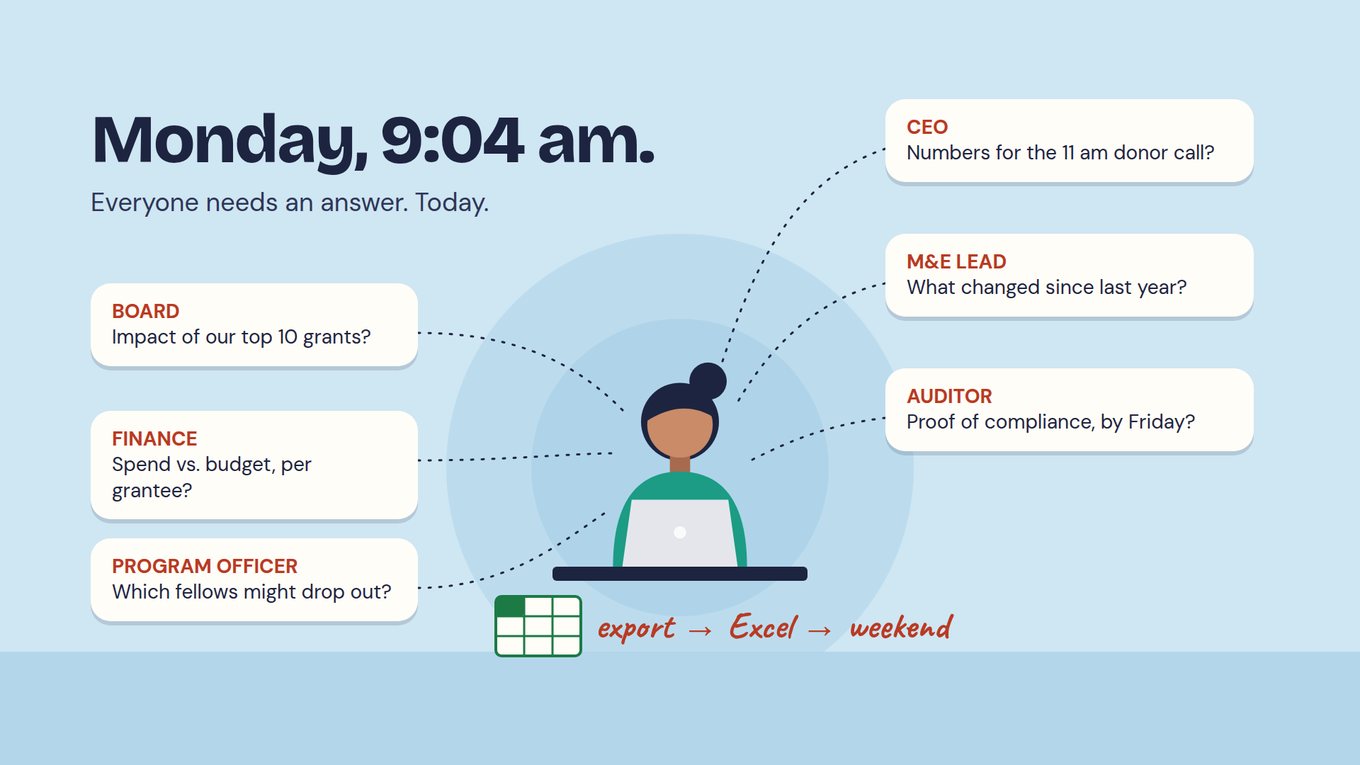
A corporate foundation hears the same questions with a wider audience behind them: the CEO's call may be with a community partner, the communications team may be drafting the community report, and employees whose gifts were matched want to know what the money accomplished. The giving platform can say what was paid, to whom and when. What the board and the CEO are asking is what happened next, and that lives in grantee reports, narratives and attachments.
Unmesh explains at 4:49 why dashboards struggle with these questions. Some were never part of what was collected, so there is nothing to chart. Narratives are not something a chart can read. Grantees report inconsistently, and donors grow frustrated when a report does not match the story they heard. So the team exports to Excel and spends the weekend reconciling.
WATCH · FROM MONDAY'S QUESTIONS TO A CONNECTED PORTFOLIO
Why the questions arrive faster than the answers
The Monday scene starts about four minutes in, and it is worth watching with your own leadership in mind. Then move to 9:30, where Unmesh argues for keeping the current system running, connecting accounting through APIs or MCP and moving one low-risk workflow at a time, and to 12:43, where he explains why a portfolio needs context before any comparison between grantees means much. Those two ideas shape the pilot on this page. The video is not a demonstration of CyberGrants and makes no claim about Bonterra's AI.
Jump to: 4:03 — Monday morning, six questions · 9:30 — Connect accounting, keep the current system running · 12:43 — Portfolio context before benchmarks
Use this in your evaluation: Write down the last six questions your team received from the board, the CEO, finance or an auditor. Mark which ones the giving platform answered directly and which started with an export. The export pile is the scope of the pilot below. For the groundwork, see the Academy guide to preparing data governance before AI.
Separate evidence work from giving and payment operations
A corporate team may depend on matching gifts, volunteering, nonprofit relationships and grant payments at the same time as application review. Bonterra's CyberGrants Disbursement Solutions documentation describes support for employee donations, corporate matches and grant payments. Those responsibilities need protecting, with the people who own them in the room. Sopact does not replace employee giving, payroll matching, payment execution or the controls around them. Its role in this comparison is collecting, reviewing and reporting evidence.
| Responsibility | Where it sits in a first pilot | Question to settle |
|---|---|---|
| Employee giving and matching | Stays in the giving platform. | Which program rules, employee experiences and transactions must remain there? |
| Grant administration and payments | Stays in the giving platform. | Which system owns the award, agreement, approval status and payment schedule? |
| Application review | Moves for the pilot program. | Where are submitted evidence, criteria, AI-prepared assessments and final human decisions kept? |
| Grantee reporting | Moves for the pilot program. | How does each report connect to the right organization, grant and reporting period? |
| Leadership reporting | Draws on both, with sources. | Can the team tell funding and activity totals apart from observed outcomes and context? |
Unmesh's point at 9:30 applies directly here: accounting stays connected rather than migrated. A connection through an API or an MCP server lets the evidence workflow see what was paid without becoming the place payments happen. Specify ownership at field level, then test updates, corrections and failures. A connector's name is a promise to verify, not proof that the workflow is complete.
Connect grantee evidence before asking AI for the portfolio story
It is tempting to point an AI assistant at the grant records and ask for the portfolio story before the board meeting. If the application sits in one place, the agreed commitments in an email thread, the reports in attachments and the payment in finance, the assistant will summarize fragments and sound confident doing it. At 12:43 Unmesh makes the case for building portfolio context before anything else. He means the shared definitions of what each field and measure means, what every grantee agreed to report and when, and which warning signs the team watches for. Comparisons across grantees are only as fair as that groundwork.
Consider a fictional corporate foundation with three community programs: job training, community events and mentoring. It can share organization, grant and period identifiers across all three and agree a few common measures. But attendance at an event and completion of a training program are not the same outcome, and a board summary that adds them together tells nobody anything.
| Recurring work today | Process to test | Decision the team keeps |
|---|---|---|
| Reading applications and copying evidence into committee summaries. | Read each application on arrival against agreed criteria, cite the passages and flag missing information. | Confirm the interpretation, resolve conflicts and make the award decision. |
| Reconstructing each grantee's intended work after selection. | Carry the application forward into onboarding and record the commitments both sides agree. | Approve what the organization is expected to deliver and report. |
| Asking unlike programs for identical reports. | Use a few common definitions where comparison is meaningful and local questions for different activities. | Decide which measures can be combined and which need their own interpretation. |
| Rebuilding the portfolio narrative for every audience. | Review evidence as reports arrive and reuse approved findings with their sources. | Approve the claims, limitations and details each audience receives. |
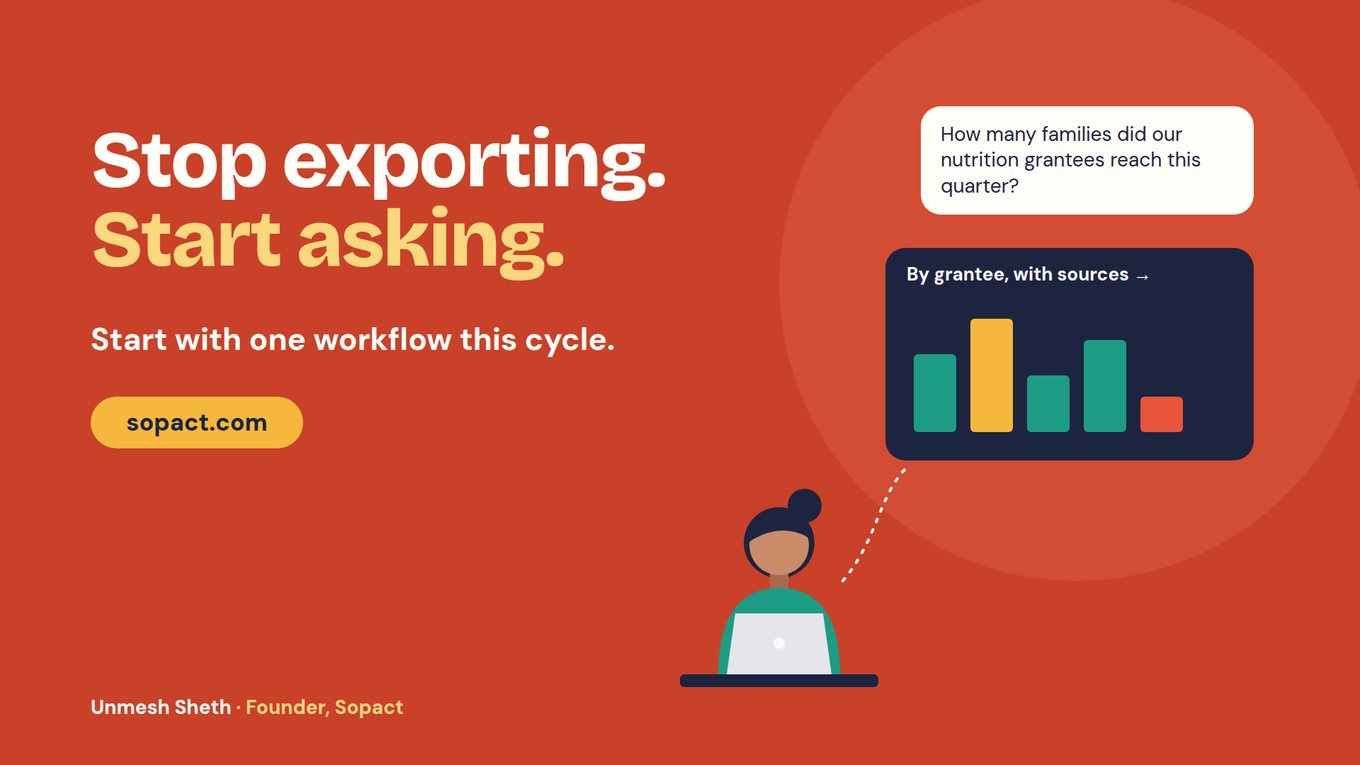
In Sopact, the application, the award and every later report attach to a single persistent grantee ID. When a report or document lands, an Intelligence Cell checks it against the team's own prompt and records what is present and what is missing, while an Intelligence Row keeps a running summary for each grantee. When the CEO's question arrives, the AI Assistant answers from those records and cites them, and the same data is open to Claude or ChatGPT through MCP. Officers check the interpretation and go back to the grantee where something needs clarifying.
Compare ownership as well as features
Ask the person who will run the program, not the implementation lead, to make routine changes during each demonstration: change a question, add a reviewer, correct a grantee record and revise a reporting definition. Then ask one of your six Monday questions and have them trace the answer to its source. Record what they could do alone, what needed approval and what needed specialist help.
Bonterra documents administrator-configured routing and approval rules in its workflow management overview, and its reporting overview describes ad hoc, standard and custom reports. Use your own configuration as the baseline rather than assuming every change needs vendor services or every report needs a spreadsheet. Hold Sopact to the same standard: staff should be able to maintain the questions, prompts and definitions they rely on, with clear ownership, access and approval once the implementation team has gone.
Pilot one program's evidence, not the giving platform
Unmesh's advice is to start small and experiment: begin with a lower-risk program, keep the current system running and add the next step only once the last has proved itself, rather than a traditional grant-system implementation, which he puts at six to nine months. Choose the smallest program whose questions landed in your export pile, and leave its payments where they are.
Start with a completed cycle
Use authorized applications, the original rubric and the decisions made, including incomplete evidence, a borderline application and other languages if the live program needs them. Compare the prepared assessments with an independent human review, and investigate differences rather than treating a changed ranking as an improvement.
Carry one record into follow-up
Connect an application to its award and a later report on the same grantee ID. Check identifiers, dates, permissions and whether the reported work matches what was proposed. One organization may hold several grants, so keep them distinct rather than merging all its evidence onto one row.
Answer the Monday questions from the pilot
Take the six questions from your list and answer the ones that belong to this program from the pilot records. Open each finding to the report and passage behind it, and check the period, the denominator and whether anything is missing. Note which answers needed an export and which did not.
Change a definition and check the finance handoff
Clarify one indicator or review rule, find the affected records and earlier reports, keep the previous version and decide what must be reviewed again. Then reconcile the pilot's award amounts against what finance and the giving platform show. Both tests reveal whether the connection is maintainable or has created a new job.
Measure preparation, checking, correction and reporting time in both processes, including the time it takes to keep the systems connected; a quick AI summary can cut reading time and leave the rest unchanged. Keep the limits of the test clear, too. AI output is a draft that staff check against its source before anyone relies on it, and people make the award decisions. A pilot shows whether the evidence work got lighter and whether leadership can see where each answer came from. It does not show that a grant caused a community outcome; that needs an evaluation design.
Keep, connect or replace
Keep the current setup when the giving platform's reports already answer most of your Monday questions and the gaps are a few definitions or unused fields. Cleaning those up with the people who own them may be enough.
Connect an evidence workflow when giving and payments run well but grantee evidence keeps ending up in spreadsheets. Bonterra stays the operational record, one program's review and reporting move, and ownership is agreed field by field.
Consider a wider change only when the evaluation covers every responsibility you depend on. Before moving a live program, inventory organizations, contacts, applications, files, comments, decisions, awards and reporting periods, and confirm what your export includes. Rehearse a sample import, compare complete histories rather than row counts, keep original decisions and agree a rollback point. A successful reporting pilot is not approval to replace payment operations, so bring finance and the employee-giving owners in early. The Academy lessons on application analysis and grantee report analysis help the team agree its method first, and the grant software alternatives comparison covers the wider shortlist.
Frequently asked questions
Is Bonterra grant management the same as CyberGrants?
CyberGrants is part of Bonterra's corporate philanthropy offering, which Bonterra describes as connecting corporate grantmaking and employee engagement. Bonterra has several products, so name the specific offering and configuration your team uses before comparing it with anything else. Treating the brand as one uniform system tends to produce comparisons that do not match what your staff work with every day.
Does Bonterra offer AI-assisted application review?
Its current grant management page describes AI-assisted application review and committee scoring. Test the capabilities enabled in your product on your own applications and look at how reviewers see the evidence behind each suggestion, correct it and record a decision. The same test applies to Sopact. What matters is whether reviewers can check the reasoning, not whether a feature carries the AI label.
Can Sopact run alongside our giving platform?
Yes, that is the arrangement this page recommends testing first. Employee giving, matching and payments stay in the giving platform, while one program's application review and grantee reporting move to a workflow built on one persistent ID per grantee. Data exchange is not automatic, so define ownership and test identifiers, corrections, permissions and failures for the setup you intend to run.
How do we answer the board's impact question without a weekend in Excel?
Connect the evidence first. Each grantee's application, agreed commitments and reports need to sit on one record, with a short data dictionary and the reporting requirements alongside. Once reports are read as they arrive, the AI Assistant can answer the board's question with the grantee reports behind each figure, and staff check those sources before the answer is shared. Unmesh covers this portfolio context at 12:43.
Should we replace the entire corporate-giving platform?
Only if the evaluation covers every responsibility you depend on, including matching, volunteering, disbursement and the controls around payments. If the main gap is grantee evidence and reporting, start there and keep the giving and payment operations that work. Unmesh's advice at 9:30 is to migrate one step at a time and keep accounting connected rather than moving it.