


Related solution
Training & Programs
Connect surveys with participant goals, learning and later experience.
Explore the solution →


Live webinar: Wednesday, October 7, 2026 | 9:00 AM PT
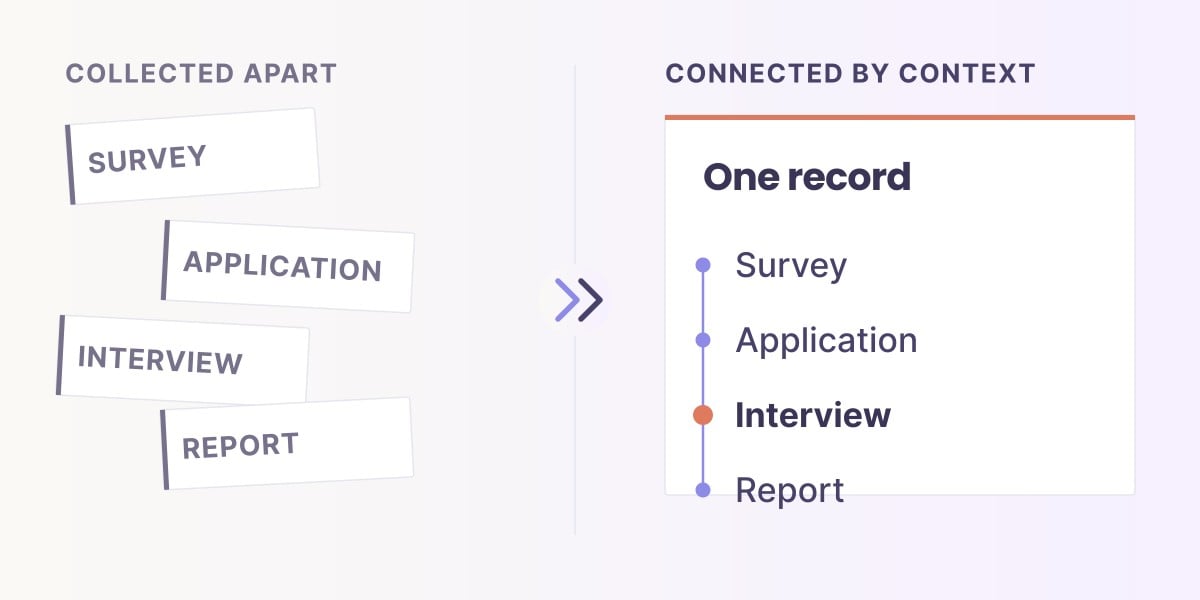
Building context across your data. In 30 minutes, see how to connect data and definitions across teams, with the right permissions and governance, so scattered data points become intelligence your teams and AI can actually use.
Save your spot (free)Feedback & Surveys · Comparison
Survey software helps organizations design questionnaires, reach respondents and analyze their answers. The best survey software for a team combines suitable collection methods with useful analysis, appropriate access controls and a process the team can maintain. A tool that works well for a one-time customer questionnaire may not meet the needs of a research study or a program following participants over several years.
The difficulty is choosing for the work that comes after the first survey. A team can outgrow a tool because it needs different research methods, shared administration, feedback routed to another department or participant history across repeated collections. Adding AI summaries does not resolve every one of those needs. A useful comparison explains which responsibility each platform is equipped to support.
Many platforms now use AI, but a question-writing assistant or a summary button does not explain the whole process. AI-native software incorporates analysis into the work of collecting and connecting evidence. AI added to one task can also be useful; the important buying question is which preparation, interpretation and follow-up steps still fall on your team. Compare those steps for your actual use case.
Sopact serves that recurring program need by connecting forms, files and feedback across programs and portfolios. Its emphasis is understanding participants and change over time, with collection tailored to each program and continuing support for the team. This guide compares platforms by those different purposes rather than naming one universal winner.
Study methods and analysis for a defined question.
Collection and reporting across teams.
Feedback connected with participation and progress.
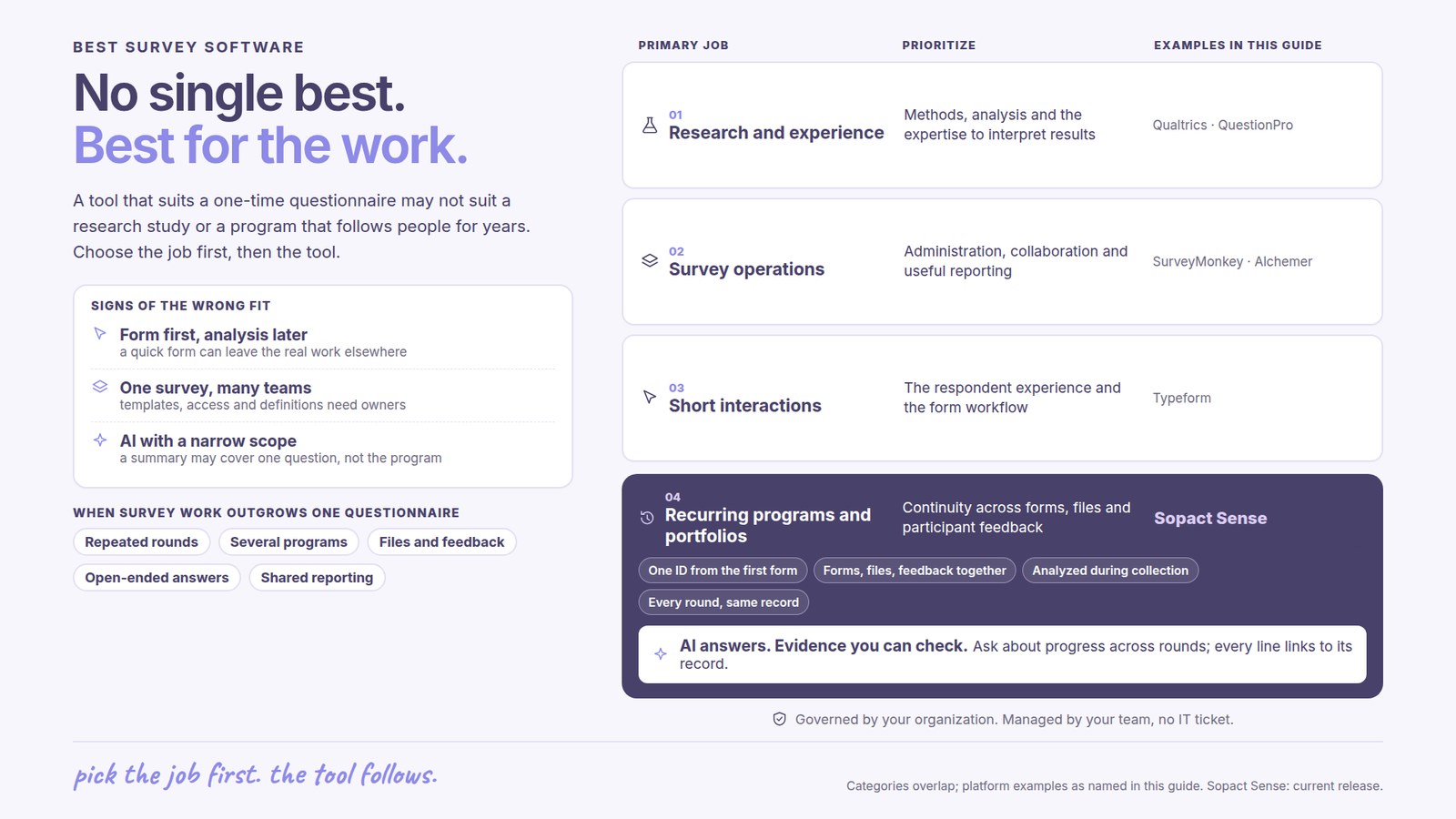
A short, approachable form may work well for a single interaction. A research team may need more control over study design and analysis. A program team may need to connect follow-up with earlier responses. Buying only for the form experience can leave the most consequential work to be done elsewhere.
Shared administration introduces questions about who owns templates, sees responses and maintains definitions. Departments may need local freedom without creating incompatible reports. Include those responsibilities before judging the platform by how quickly one person can publish a questionnaire.
A summary may cover a question, a survey or a set of sources. Its language support, response coverage and refresh behavior affect what a team can infer. Those differences matter more than whether an AI badge appears on the product page.
A research team choosing a study platform and a program director choosing a way to understand participant progress may both search for survey software. Their most important requirements are different. A useful shortlist begins with the decision the results must support, then considers collection, analysis and ongoing ownership together.
Teams conducting studies or coordinating customer and employee measurement need suitable research methods, analysis and organizational control. Qualtrics and QuestionPro are relevant examples. Their breadth matters when the organization actually needs that research or experience infrastructure.
Organizations running many questionnaires need practical creation, distribution, administration and reporting. SurveyMonkey and Alchemer belong in this consideration. The choice includes how staff share work, use results and connect surveys with existing processes.
Some teams principally need an approachable questionnaire or form on a website. Typeform is relevant to that interaction-led use. The respondent experience may be a stronger purchase driver than advanced research analysis or multi-year participant reporting.
Training, scholarship and other program teams may need to combine surveys with applications, documents and later feedback. Sopact focuses on that continuing context. The value comes from understanding people and programs across stages, rather than treating each questionnaire as a separate project.
Sopact publishes this guide. The shortlist groups platforms by purpose; it is not an independent ranking. Linked product documentation supports the descriptions. Features and services depend on the selected product and agreement.
| Platform | Main buying need | What matters in this choice |
|---|---|---|
| Qualtrics | Research and experience | A candidate for enterprise research and experience analysis. Text and statistical analysis sit within a broader platform. Give weight to the methods, organizational requirements and analytical support your team needs; product scope varies by license. |
| QuestionPro | Survey research | A survey and research platform with collection and analytical capabilities. Consider it when the team’s main work is designing questionnaires and investigating results. Compare the research functions relevant to the actual study, not the total feature count. |
| SurveyMonkey | Survey operations | Survey reporting, thematic analysis and multi-survey dashboards support recurring questionnaire work. Compare the available plan, analytical coverage and the participant context your team needs. Cross-survey reporting is available; continuing program records are a separate buying requirement. |
| Alchemer | Surveys and workflows | Survey creation and analysis with an emphasis on fitting feedback into organizational processes. Consider how the survey operation connects with the work colleagues must do after receiving a response. Distinguish the survey product from additional feedback-analysis offerings. |
| Typeform | Respondent experience | Relevant when the form experience is central to the purchase. Its Smart Insights offering also analyzes quantitative and qualitative responses. Evaluate both the respondent interaction and whether the resulting analysis meets the team’s needs. |
| Sopact | Recurring programs | Relevant when surveys form part of a continuing program relationship. Connects forms, files and feedback to understand progress and differences across programs, with personalization, customer ownership and ongoing team support. |
For this decision, AI-native should mean that AI is integrated with the core collection and analysis process, rather than offered only as a separate assistant. Look at the incoming response, its context, the resulting analysis and the work needed to use it again when new evidence arrives. The label alone cannot establish those capabilities.
Sopact supports automatic analysis during collection and connects forms with participant records. That combination is useful for recurring programs because each round can contribute to an ongoing understanding of the participant. A one-off research project may place greater weight on other strengths, such as the study methods and statistical analysis it requires.
Qualtrics documents links between text analysis and statistical exploration. QuestionPro’s enterprise offering includes research methods such as conjoint and MaxDiff. These matter when the team is studying preferences or relationships using a defined research approach. They have less bearing on a program whose main difficulty is connecting participant feedback across stages.
SurveyMonkey provides thematic analysis and multi-survey reporting for teams working across several questionnaires. Alchemer Survey emphasizes survey flexibility and connections to organizational workflows. For both, compare the proposed product package with the administration and follow-up your team needs; the vendor’s full portfolio is not necessarily included in one subscription.
Typeform’s Smart Insights includes qualitative and quantitative analysis. Its documented topic analysis uses the most recent 1,000 responses and has English-language requirements. Those specifics help a buyer judge whether the analysis fits the intended audience and reporting scope. They describe that feature, not a universal limit on Typeform collection.
Sopact’s documented model connects participants with related forms and analyzes written responses or files while retaining that relationship. This is relevant when an organization needs to interpret feedback alongside applications, assessments and later progress. The case for Sopact is the usefulness of that continuing evidence to program staff, supported by personalization and ongoing team support.
A product research team and a fellowship program can need different platforms even if they ask some of the same questions. The strongest shortlist reflects the work, the evidence required and who will maintain the process.
Product documentation reviewed October 4, 2026. Descriptions reflect the linked offerings; confirm the edition and scope relevant to your organization.
Sopact is designed for decision intelligence across programs and portfolios. A leadership program, for example, may collect applications, initial assessments, course feedback and later accounts of how participants used their learning. Sopact’s role is to connect those sources so the team can understand progress and decide where the program needs attention.
Sopact belongs on the shortlist when the organization needs survey feedback to remain connected to a broader program and when staff need both ownership and support as the work evolves.
The King Center customer story is relevant to this use. Sopact’s account of the move from Qualtrics emphasizes self-governance, personalization and continuing team support. Those are reasons to consider the operating relationship as well as the software’s analysis functions.
Define the recurring decision. Specify whether the team is investigating a research question, improving an experience or evaluating a program. Include who will act on the results and how often.
Compare the complete responsibility. Collection, analysis and action may involve different teams. Consider whether the platform helps those teams work together and what preparation is still required outside it.
Assess ownership after launch. Establish what staff can maintain, who provides analytical advice and what support is available when requirements change. Evaluate the value in usable findings and staff capacity, rather than a long feature list or a low entry price.
For a deeper purpose-based enterprise comparison, see enterprise survey software. If the immediate problem is interpreting responses, use the survey analysis selection guide.
The answer depends on the responsibility. Research and experience teams may prioritize Qualtrics or QuestionPro; survey operations may consider SurveyMonkey or Alchemer; form-led interactions may suit Typeform. Sopact is relevant to recurring program and portfolio evidence.
No. AI assistance may be available in several products, but research methods, administration, respondent experience and program continuity still differ. Compare the work the platform supports around the AI feature.
When it needs to interpret surveys alongside applications, files and follow-up across program stages. Its emphasis is understanding change and its explanations while the customer team retains ownership with continuing support.
Continue with a purpose
Related solution
Connect surveys with participant goals, learning and later experience.
Explore the solution →Continue learning
Understand numerical results alongside participants’ explanations.
Start learning →
Customer story
How open-ended feedback became usable insight for training and program discussions.
Read the story →Explore how participant feedback and other program information could help your team understand change and decide what to improve.
See it with your workflow →