play icon for videos

Nonprofit Data Collection: 9 Tools Compared and How to Pick

Honest comparison of nonprofit data collection tools — Excel, SurveyMonkey, KoboToolbox, Apricot, Salesforce NPSP, ActivityInfo — plus how Sopact carries the same participant from intake to funder report on one record.

Updated
May 19, 2026
360 feedback training evaluation
Use Case
Stage 01
Decide what to collect — tied to your theory of change
Stage 02
Collect across surveys, forms, intake, exit interviews
Stage 03
Clean and code open-ended data at the source
Stage 04
Track the same participant across programs and years
Stage 05
Join your data to Census, BLS, IRIS+ for context
Stage 06
Deliver the funder, board, and federal report

A guide can tell you how to collect nonprofit data. A spreadsheet can hold the data. Neither closes the loop from intake to funder report. Six things make Sopact different — and these are the things a survey tool, a CRM, or a spreadsheet will never give you.

Difference 01

Designed for nonprofit data work since 2014

Sopact has been building data infrastructure for foundations, training bodies, workforce programs, and community nonprofits for over a decade — before there was a category called GenAI to claim. The product was not adapted from a market-research tool; it was built around what nonprofits actually need.

Difference 02

Collection, analysis, and reporting in one workflow

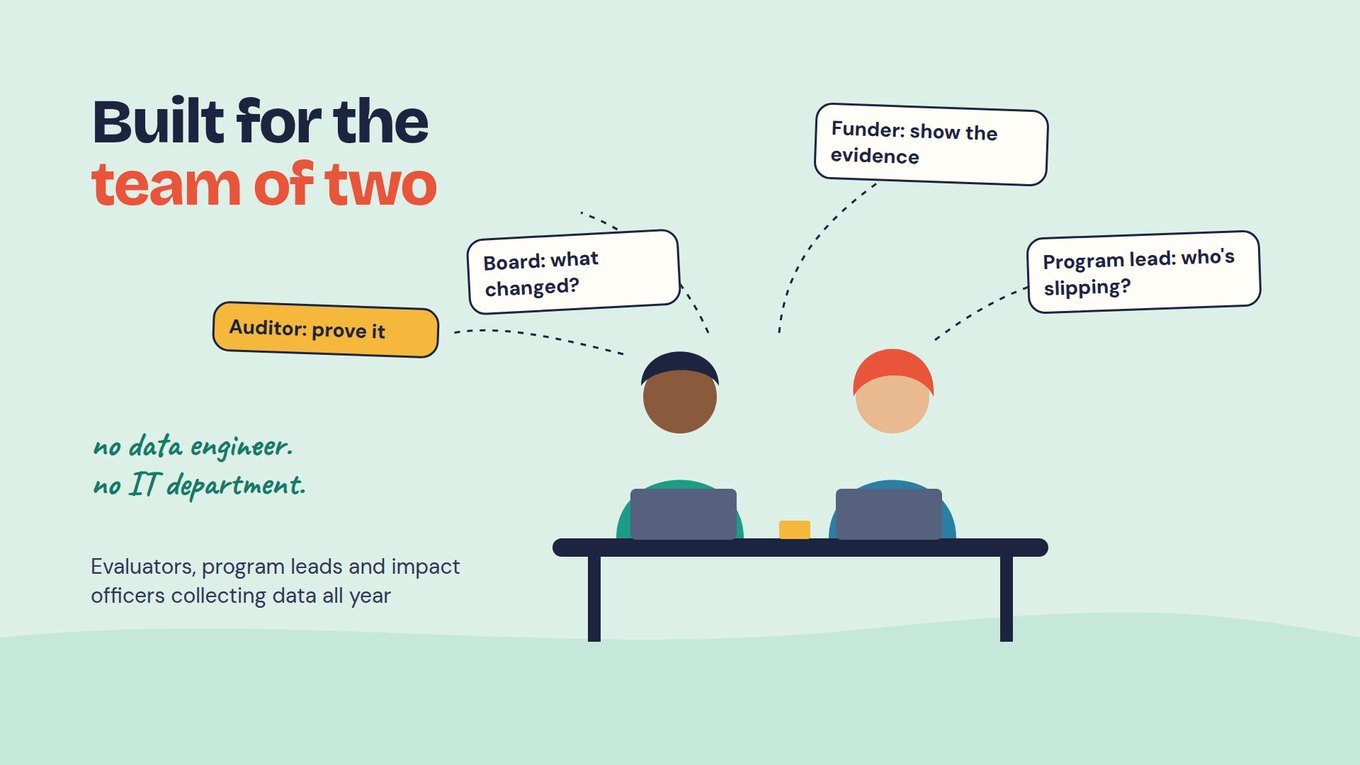
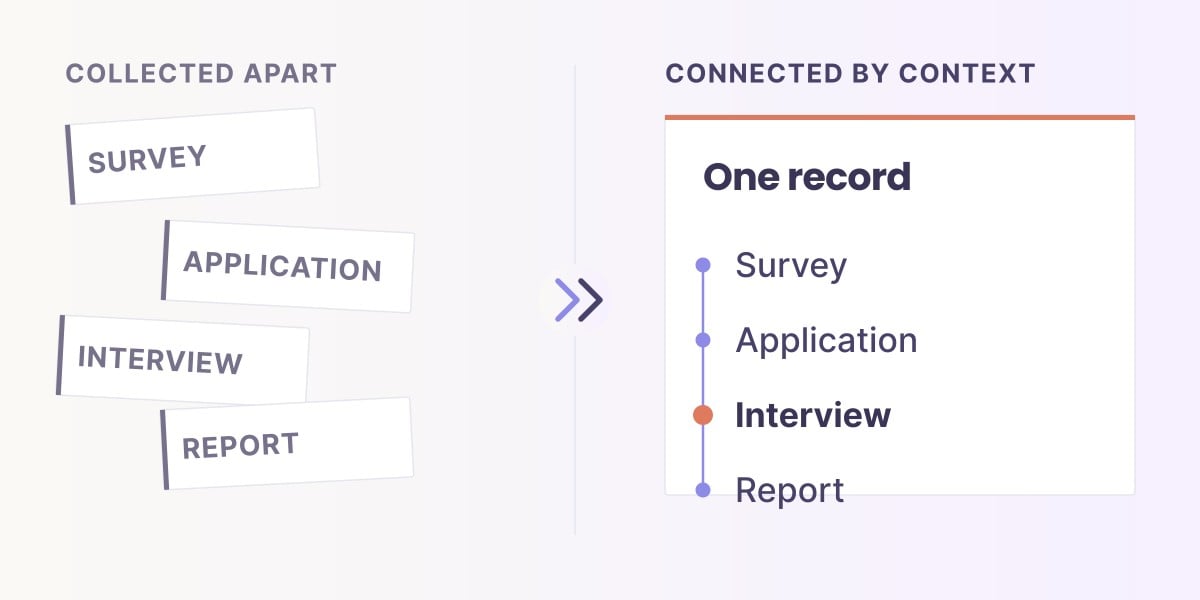
Most nonprofit data stacks are three separate tools — a form builder, a spreadsheet, and an outside consultant. Sopact replaces that with one workflow. The same record carries from intake survey through cleaning, coding, joining, and report.

Difference 03

One record per participant, across programs and years

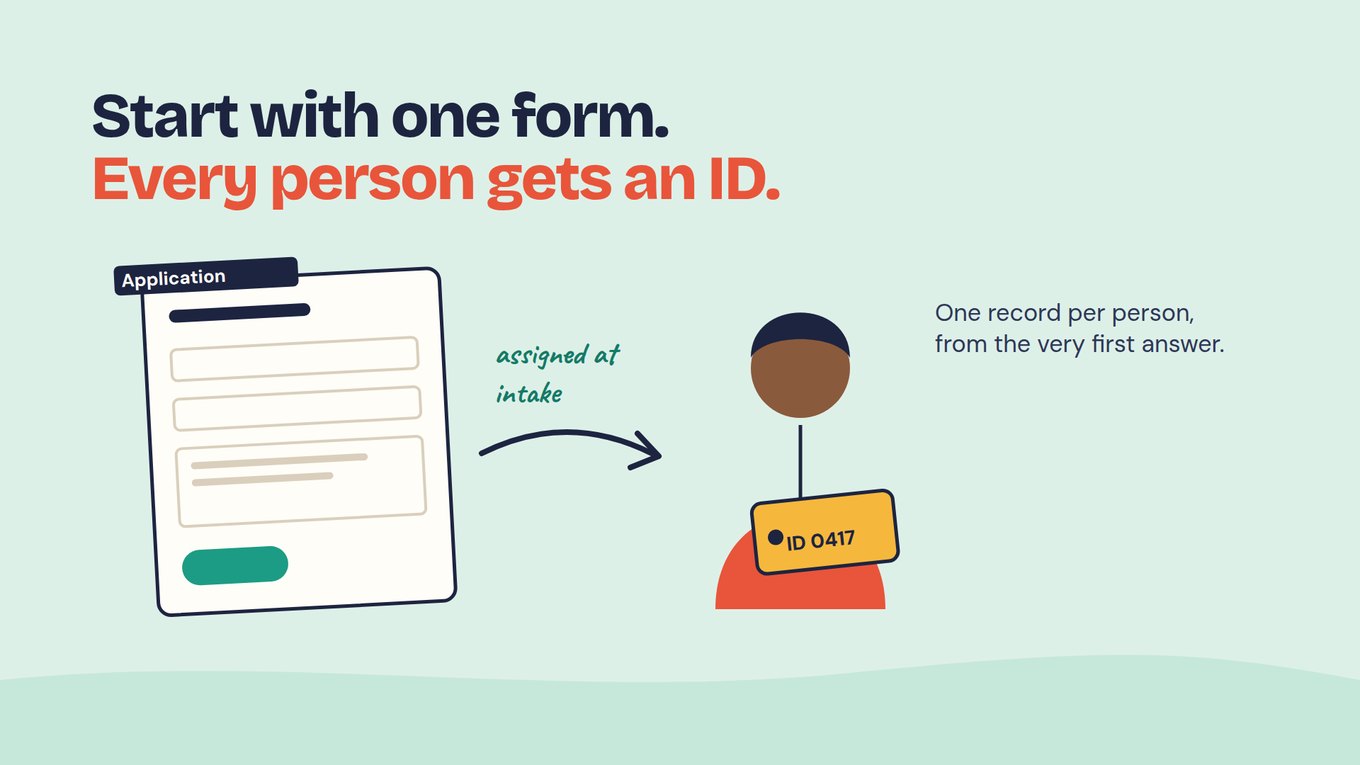
A participant who appears in your workforce intake is the same participant in your housing exit interview two years later. Same ID. Same record. Cross-program analysis without a six-week reconciliation project at the start of every funder cycle.

Difference 04

Open-ended responses coded at the source

When a participant writes a paragraph about what was hard, the response is themed and tagged the day it arrives — not six weeks later when a consultant gets to it. The numbers and the quotes live on the same record, and every theme links back to the lines that produced it.

Difference 05

Outside data joined automatically, with citation

A cohort outcome is more meaningful when you can compare it to the county unemployment rate, the IRIS+ benchmark for that intervention, or the Census income for that ZIP code. Sopact joins Census, BLS, IRIS+, 990 records, and validated instruments at query time — with citations a funder will accept.

Difference 06

The funder report is part of the platform

Sopact does not stop at "data collected." The same record carries through to the report your program officer hands to the federal funder, the foundation, or the board. Outcomes, evidence, citations, narrative — one workflow, not three tools and a consultant.

The short version

Other tools collect data and hand you a CSV. Sopact carries the same participant from intake to outcome to funder report — on one record, in one workflow, since 2014.

The honest comparison

The 9 data tools nonprofits actually use, honestly compared

Different nonprofits land on different tools depending on what they collect, where, and what they need to do next. Here is where each tool wins and where each one stops. Sopact sits in its own row at the bottom because it is the only one that carries the same record all the way through.

Spreadsheets & general databases
Excel / Google Sheets
Best forTiny programs, single cohort, when free is the only budget.
LimitNo participant ID, no longitudinal join, no qual-quant link. The team's most-used file gets corrupted, lost, or owned by one person.
Airtable
Best forOperations databases — events, volunteers, simple participant lists with light reporting.
LimitDatabase-first DNA. Strong on the table, weak on surveys, weaker on coding open-ended data, no built-in outcome framework.
Survey & form collection
SurveyMonkey / Typeform / Jotform
Best forOne-off surveys, staff pulse checks, donor feedback, event registration.
LimitForm-builder DNA. Each survey is an island — no participant join across surveys, no outcome tracking, no longitudinal view.
KoboToolbox / CommCare
Best forInternational field surveys, offline mobile data collection. Free or low-cost for humanitarian work.
LimitCollection only. Cleaning, coding, joining qual to quant, and reporting all happen somewhere else, by someone else.
Case management & nonprofit CRM
Apricot / Bonterra ETO
Best forDirect-service case management — intake, case notes, service history. Strong on operations.
LimitCase-management DNA. Weak on coding open-ended responses, weak on outside-data joins, weak on funder-report generation.
Salesforce NPSP
Best forDonor management, contact records, fundraising operations. The system of record for many large nonprofits.
LimitDonor CRM DNA. Surveys and outcome data require expensive consulting to configure. Coded open-ended responses still need a separate tool.
M&E platforms (international)
ActivityInfo / TolaData
Best forLogframe-driven indicator tracking, donor-mandated M&E reporting, international NGO portfolios.
LimitIndicator-focused. Strong on the numeric side, weak on coded qualitative data, weak on the participant-level story behind the indicator.
Built for nonprofit data infrastructure, from day one
Sopact
Best forNonprofits running multi-program, multi-cohort data work where the same participant is tracked over time, open-ended responses are coded as they arrive, and the funder report comes out the other side — without three more tools and a consultant.
LimitOverkill if the only need is donor management or a one-off staff survey. Sopact is for organizations that report outcomes.

Most nonprofits we talk to run three or four of these tools in parallel — Excel for the small things, SurveyMonkey for surveys, Salesforce or Apricot for case records, and a consultant once a year to tie it all together. Sopact replaces that pattern with one workflow on one record.

What is nonprofit data collection?

Nonprofit data collection, in plain English

Nonprofit data collection is the practice of gathering, cleaning, and organizing data about the people a mission-driven organization serves — and the outcomes those programs produce — so the organization can report to funders, learn from its work, and improve program design. The job spans surveys, intake forms, case notes, attendance records, validated instruments, and follow-up touchpoints. The hard part is rarely the collection. It is what happens between collection and the report.

A complete nonprofit data collection workflow covers six things: deciding what to collect (mapped to a theory of change), reaching participants where they are (web, mobile, offline, multilingual), cleaning and coding open-ended responses at the source, tracking the same participant across programs and years, joining responses to outside context (Census, BLS, IRIS+, validated instruments), and producing the report that a federal funder, foundation, or board will accept as evidence.

Most nonprofits start with a spreadsheet, add a survey tool, and outgrow both within eighteen months — usually around the time a multi-year funder asks for outcome data they cannot produce, or a board member asks a question about cross-program participants that nobody can answer. The migration path from spreadsheets to a real data platform is the most common buying journey we see.

A real challenge, in plain terms

Four programs. Three case-management tools. One spreadsheet that nobody owns.

This pattern shows up at almost every mid-sized nonprofit we talk to — community health, workforce, family support, housing, youth services. Different missions, identical data shape.

Workforce uses one survey tool. Housing uses a case-management platform. Mental health enters paper-based intake forms into a clinical system. Youth services keeps a spreadsheet. The development team runs Salesforce. Five tools, four programs, one organization. No participant join across any of them.

A participant who completes workforce training and later moves into transitional housing becomes a brand-new record in the second system. The board meeting question — "how many people are we actually serving across the organization?" — produces five different answers depending on who is counted in which tool. The grants writer who asks "what is our cross-program completion rate?" gets a shrug.

The funder cycle is the breaking point. Three federal grants and two state contracts each want different cuts of participant data — by ZIP code, by income, by program, by outcome. The data exists. It lives in five different places. The grants writer rebuilds the join in Excel every year, by hand.

The consultant comes in for the federal report. She extracts from Apricot, exports from SurveyMonkey, pulls the clinical data, opens four versions of the youth-services spreadsheet, and spends two weeks building a master record. Three weeks of analysis. Two weeks of writing. The federal report ships in late August. The next program year started in July.

This is not a tool problem the team can fix by buying a better form builder or a better database. The form is not the bottleneck. The database is not the bottleneck. The bottleneck is everywhere between collection and report — and the same record never travels the whole way.

The fix is not another tool added to the stack. It is one place where the same participant is recognized across programs, where open-ended responses are coded as they arrive, and where the funder report is something the executive director clicks through — not something the consultant produces in August.

What AI-native changed for nonprofit data work

Two kinds of data. Both changed in the last three years.

Primary data is what your nonprofit gathers directly — intake forms, surveys, exit interviews, case notes, attendance records. Secondary data is the context that already exists — Census tables, BLS unemployment, IRIS+ benchmarks, 990 records, validated instruments. A nonprofit cannot be evidence-driven on just one. The way both are collected, cleaned, and joined is no longer the way it was.

Primary data — what you collect

Intake forms, surveys, exit interviews, case notes

Before AI-native tools

Each program collected differently. The form was a SurveyMonkey link, a paper form scanned into a folder, or a case-management tool that lived in its own silo. Joining responses across programs meant a spreadsheet rebuilt by hand once a year.

What changed

Every form, every survey, every exit interview attaches to the same participant ID — the same person across workforce, housing, mental health, and youth. Open-ended responses are coded as they arrive. The join is built in.

Secondary data — the context

Census, BLS, IRIS+, 990 records, validated instruments

Before AI-native tools

A board member looked up county unemployment by hand. The grants writer copied an ACS table into a Word document. Validated screeners came from a PDF the program officer printed once. "Context" was a paragraph in the report, not data in the analysis.

What changed

Census, BLS, IRIS+, 990 records, and validated instruments are joined to your participant data at query time — with the citation a funder will trust. Context is no longer a paragraph. It is a column in the table.

A nonprofit data system without outcomes is a spreadsheet. A nonprofit data system without context is a story without scale. Evidence is both, on one record.

How Sopact connects to the rest of your nonprofit stack

Sopact does not replace your CRM, your case-management tool, or your accounting system.

Most nonprofits already run a donor CRM, a case-management tool for at least one program, and an accounting system. Sopact sits in the middle and handles the data work most stacks are missing — collection, cleaning, coding, joining, and reporting on one record per participant, across every program.

Comes in
Participant or contact record
Salesforce NPSP, Apricot, Bonterra ETO, HubSpot, Bloomerang, Neon, Airtable
Sopact
One record per participant
Survey · response · code · outcome · narrative · citation
Goes out
Funder reports & analytics
Federal/state forms, foundation reports, Looker, Power BI, board memo
Stage 01
Decide what to collect

Every question tagged to an outcome in your theory of change. Validated instruments off the shelf — PHQ-2, GAD-2, PSS, NPS, AUDIT-C, ACE. No more "what should we measure" arguments at the start of each cycle.

Stage 02
Collect across every channel

Web, SMS, mobile, kiosk, offline. Multilingual. Intake forms, surveys, exit interviews, case notes, follow-up touchpoints. Same participant, same record, across every channel and every program.

Stage 03
Clean and code at the source

Open-ended responses get themed and tagged the day they come in. Themes you define, codes you control. Validation rules catch bad data at entry, not three weeks later when the consultant gets the file.

Stage 04
Track participants across programs and years

One ID per participant from workforce intake through housing follow-up to youth-services exit, all on the same record. The cross-program participant count is a query, not a project. The longitudinal view is built in.

Stage 05
Join outside context

Census ACS, BLS QCEW and LAU, IRS 990 records, IRIS+ catalog, HMIS, validated instruments. Bound to your participant data at query time, with the citation a funder will trust.

Stage 06
Produce the report

Not a dashboard. The actual report a federal funder, a state office, or a foundation program officer will accept. Outcomes, evidence, citations, narrative — in one document the executive director can edit.

The Tuesday question, not the year-end report

Five questions your executive director will get this week. Two ways to answer them.

These are not survey questions or database questions. These are the questions a board chair, a federal program officer, or an executive director gets in an email on Tuesday afternoon. Either the answer is two clicks away, or it is a consultant invoice and three weeks.

The question
In Sopact
In the legacy stack
"How many of our workforce graduates also passed through our housing program last year? What were their outcomes in both?"
Cross-program query Same participant ID across programs. Count, outcome breakdown, and the narrative on one record in two clicks.
Send to consultant Workforce data in SurveyMonkey. Housing data in Apricot. Match by name and email. Three to five days. Often unmatched.
"For the federal report, how did our Q3 cohort compare to the BLS county benchmark and the IRIS+ workforce indicator?"
Plain-English query Outcomes join automatically to BLS LAU and IRIS+ PI4060. Result is a county-by-county table with citations the funder will accept.
Hire a consultant Analyst exports CSV, looks up BLS and IRIS+ by hand, builds a pivot. Three to five days. $2K invoice.
"On the PHQ-2 mid-year follow-up, which participants moved from at-risk to in-range — and what did they say in the open-ended question?"
Two-click drill PHQ-2 scores join to the open-ended response on the same participant ID. The director sees the quote that goes with the number.
Cannot answer in one query Scores in one tool, open-ends in another. No participant join. The narrative the funder asks for stays unanswered.
"Which of our 14 ZIP codes are producing the strongest outcomes, and which county-level conditions correlate?"
ZIP-by-ZIP table Participant records joined to ACS income and BLS LAU by ZIP. Outcome correlation surfaces in the same view.
Multi-day project Export by program, geocode the ZIPs, look up ACS and BLS, build the pivot. By the time it ships, the question moved on.
"The board wants the top three themes from this cycle's exit interviews — broken out by program and by language."
Themes already coded Coded at intake in the source language. Top three themes by program and by language, with click-through to the responses. Board meeting is Friday.
Read 412 paragraphs Or pay a consultant to read them. The board meeting is still Friday.
80–85%

of the data questions a nonprofit team handles in a week are the shape above. Not year-end. Not the federal report. Tuesday afternoon.

Stop rebuilding the participant join in Excel every funder cycle.

A 30-minute walkthrough on your actual data flow. No slide deck. Bring three cross-program questions your last federal report could not answer cleanly.

What happens between “data collected” and “report delivered”

Four states of one participant's record. Most tools deliver the first one and stop.

A real participant — appearing across two of the four programs in the same nonprofit — walked through Sopact's four states. At intake. Not in a consultant queue eight weeks later.

State 01 — Raw intake responses, as the participant gave them

Participant ID #P-3142 · workforce intake Q8 + housing intake Q6 (open-ended)

WORKFORCE INTAKE (Q8 — "What do you hope to get from this program?") "I need to find work I can actually do with my schedule. I have two kids and the youngest one has appointments I can't miss. I want something that pays better than what I was doing before." HOUSING INTAKE (Q6 — eight months later, "What's the biggest barrier right now?") "Transportation is the biggest thing. The bus to my last job didn't run early enough for the shifts they offered. I had to leave. Now I'm doing okay but I'm worried about the rent."

In a typical nonprofit stack, these two paragraphs live in two different tools — workforce in SurveyMonkey, housing in Apricot. Nobody connects them. The fact that this is the same participant, eight months apart, is invisible.

Under the hood — how a question becomes a cross-program answer

Three layers. One record per participant. Plain-English questions on top.

When the executive director asks a question that crosses programs, three layers do the work. The AI inside Sopact reads the question and writes the query. Sopact holds the participant data, codes, and outcomes on one record per person. Outside context — Census, BLS, IRIS+, validated instruments — joins in at query time, with citations attached.

Layer 01 — Reads your question

The AI inside Sopact

Reads the plain-English question, decides which programs, fields, codes, outcomes, and outside sources are needed, writes the join, and returns the answer with citations. The AI runs inside Sopact — your participant data is not sent to an outside model.

Layer 02 — Your data

Sopact — one record per participant, across every program

Intake forms, surveys, exit interviews, case notes, follow-up touchpoints, open-ended responses, themes, codes, attached documents, outcomes — all on one participant ID. Across workforce, housing, mental health, youth services, every program your nonprofit runs.

Layer 03a — Your operational systems
CRM, case management, accounting

Salesforce NPSP, HubSpot, Bloomerang, Neon for donors. Apricot, Bonterra ETO for case management. QuickBooks, Sage Intacct, Bill.com for the money. Sopact reads from these; it does not replace them.

Layer 03b — Reference data
The outside world

Census ACS, IRS Business Master File, Candid 990 records, BLS QCEW and LAU, IRIS+ catalog, HMIS, and the validated instruments library — PHQ-2, GAD-2, PSS, OCAI, NPS, AUDIT-C, ACE, and others.

A cross-program board question, four steps

Step 01

Board chair asks "How many people did we actually serve across all four programs last year, and what were the cross-program outcomes?"

Step 02

AI plans Identifies the participant IDs across programs, the outcome fields per program, and the cross-program join logic.

Step 03

Sopact joins Pulls participant records across all programs and surfaces cross-program patterns. Citations attached.

Step 04

Answer returns Unique participant count, cross-program pathway breakdown, outcome correlation, and the participant voice behind the numbers. Tuesday at 3pm, not the next board meeting.

Who Sopact is built for

If you collect data across more than one program, this page is for you.

Sopact is built for mission-driven nonprofits running multi-program, multi-funder operations where the same participant shows up more than once and the cross-program report keeps coming back. Not for one-off market research, not for retail customer surveys.

Multi-program human-services nonprofits

Workforce, housing, mental health, youth services — running two to six programs under one roof, with overlapping participants and overlapping funders. The cross-program participant question is the recurring pain.

Strong fit
Workforce development & training programs

Pre/post participant surveys, longitudinal outcome tracking, federal funder reports against IRIS+ or workforce benchmarks. Pre/post on the same participant ID is the core value.

Strong fit
Community health & behavioral health

Validated instruments (PHQ-2, GAD-2, PSS, AUDIT-C) joined to qualitative responses, state Medicaid reporting, HMIS-style longitudinal client tracking. HIPAA-aligned options available.

Strong fit
Foundations & grantmakers

Grantee partner surveys, mid-grant check-ins, exit interviews, portfolio-level outcome roll-ups for board and donor reporting. The same grantee across multiple years and grant programs.

Strong fit
Membership & sector bodies

Member surveys across chapters or regions, multilingual responses, post-event feedback. One team owns both the program and the data.

Strong fit
Questions nonprofit data teams ask

Common questions about nonprofit data collection

The 12 questions below cover what most nonprofit teams ask before evaluating a real data platform. If yours is not here, the request-demo link at the bottom of every section gets you a working session.

What is nonprofit data collection?
Nonprofit data collection is the practice of gathering, cleaning, and organizing data about the people a mission-driven organization serves — and the outcomes those programs produce — so the organization can report to funders, learn from its work, and improve program design. The job spans surveys, intake forms, case notes, attendance records, validated instruments, and follow-up touchpoints. The hard part is rarely the collection itself; it is everything between collection and the funder report.
How is a data platform different from a survey tool or a database?
A survey tool collects responses and hands you a CSV. A database holds records but does not know what a survey response means. A nonprofit data platform — like Sopact — carries the same participant from intake survey through outcome tracking through funder report on one record. The difference is the workflow that connects collection, cleaning, coding, joining, and reporting in one place.
How is Sopact different from Apricot, Bonterra ETO, or other case-management tools?
Apricot and Bonterra ETO are case-management tools built around the operational record — intake, case notes, service history. They are strong on the operations side. They are weaker on coding open-ended responses, on joining responses to outside data, and on producing the funder report. Many nonprofits run Apricot for housing case management and Sopact for the cross-program outcome and reporting workflow.
How is Sopact different from ActivityInfo, TolaData, or other M&E platforms?
ActivityInfo and TolaData are indicator-focused M&E platforms built for international NGO logframe reporting. Strong on the numeric indicator side, weaker on coded qualitative data and on the participant-level story behind the numbers. Sopact carries the same record through both — the indicator and the participant voice on one screen, with the cross-program join built in.
Does Sopact replace our Salesforce NPSP or our case-management tool?
No. Sopact reads from Salesforce NPSP, HubSpot, Bloomerang, Apricot, Bonterra ETO, Neon, and Airtable for participant or contact records. Your CRM keeps owning donors and the operational side. Your case-management tool keeps owning service delivery. Sopact owns the data-collection-to-outcome-to-report side. Most nonprofits run all three with a daily or hourly sync.
Can we migrate our data from Excel, SurveyMonkey, or Apricot?
Yes. CSV import, API import, and direct connectors for Salesforce, Apricot, KoboToolbox, and SurveyMonkey are all part of standard onboarding. Most nonprofits arrive with a mix of historical data — three years of SurveyMonkey exports, an Apricot extract, and the Excel master file the grants writer maintains. We help you map all of it to a single participant ID at the start so the new workflow inherits the historical record.
How long does setup take for a typical nonprofit?
First working data flow with intake forms and one program: under a week. First multi-program rollout with longitudinal tracking, outside-data joins, and a funder-report template: two to six weeks. Sopact is built for mid-tier nonprofits — fifty to two thousand participants per cycle, three to fifteen staff, with no dedicated data team.
What about multilingual data collection?
Forms are translated and branched by language. Open-ended responses are coded in the language they arrive in, with English themes layered for cross-language roll-up. Spanish, Mandarin, Vietnamese, Arabic, French, Portuguese, Haitian Creole, Russian, and Tagalog are well covered for US nonprofit contexts. International programs cover many more.
What outside data sources does Sopact join to?
Census ACS tables (income, demographics, housing), BLS QCEW and LAU (employment and wages), IRS Business Master File and Candid 990 records, IRIS+ catalog for outcome benchmarks, HMIS for homelessness services, and the validated instruments library — PHQ-2, GAD-2, PSS, OCAI, NPS, AUDIT-C, ACE, and others. The join happens at query time and the citation is attached to the answer.
How does Sopact handle privacy, consent, and HIPAA?
Consent is captured at intake and stored on the participant record. Data residency options cover US and EU. PII fields are flagged and access-controlled. Audit logs show who saw what and when. For community health and behavioral-health programs, HIPAA-aligned configurations are available including BAA. For youth services, parent-consent workflows are built in.
What does Sopact cost compared to a stack of three tools and an annual consultant?
Sopact pricing is by number of programs and participants per cycle, not per seat. Mid-tier deployments (fifty to two thousand participants per cycle, two to six programs) typically land between fifteen and forty thousand a year. Most nonprofits we work with replace one survey tool, partial case-management licenses, and the annual consultant invoice — and end up spending less than the combined total. The exact number is part of the working session.
How do we make the case for a real data platform to a board used to spreadsheets?
The argument that wins is not better software. It is the eight to twelve weeks of staff time the grants writer gets back from the federal report cycle, and the consultant invoice avoided. Most nonprofit boards approve the migration once they see the current consultant invoice next to a working session that produces the same report in an afternoon, on data that crosses every program.

Want the deeper read?

The full Sopact Sense overview — how the platform handles collection, cleaning, and analysis on one record per respondent.

Read the Sopact Sense overview

Bring three questions you cannot answer today.

A 30-minute working session on your data. We map the cycle, name the hours saved, and show you the report that comes out the other side. No slide deck.