play icon for videos
Use case

Nonprofit Analytics: Data Analysis Tools, Examples & Software

Nonprofit analytics tools, software, and strategies that turn fragmented data into real-time decisions. AI-powered analysis for nonprofits — minutes, not months.

TABLE OF CONTENT

Author: Unmesh Sheth

Last Updated:

February 14, 2026

Founder & CEO of Sopact with 35 years of experience in data systems and AI

Nonprofit Analytics: Data Analysis Tools, Software & Strategy (2026 Guide)

Nonprofit Analytics

Your team collects data across 5–8 disconnected tools, then spends 80% of staff time cleaning it — leaving decisions to intuition while insights arrive months too late. This isn't analytics. It's damage control.

Definition

Nonprofit analytics is the practice of systematically collecting, cleaning, and analyzing program data — both quantitative metrics and qualitative feedback — to make evidence-based decisions about service delivery, resource allocation, and stakeholder engagement. Unlike business analytics, nonprofit analytics connects organizational activities to mission outcomes: did services create meaningful change?

What You'll Learn

  • 01 How to design data collection systems that stay clean, connected, and analysis-ready — eliminating the 80% cleanup burden
  • 02 How to evaluate nonprofit analytics software: BI tools, survey platforms, statistical tools, and AI-native platforms compared
  • 03 A complete data analysis workflow for nonprofits — from collection design through AI-powered insight generation
  • 04 How to implement a 30-day analytics cadence that closes feedback loops before programs drift
  • 05 When to use consulting vs. self-service platforms — and how predictive analytics applies to nonprofit programs

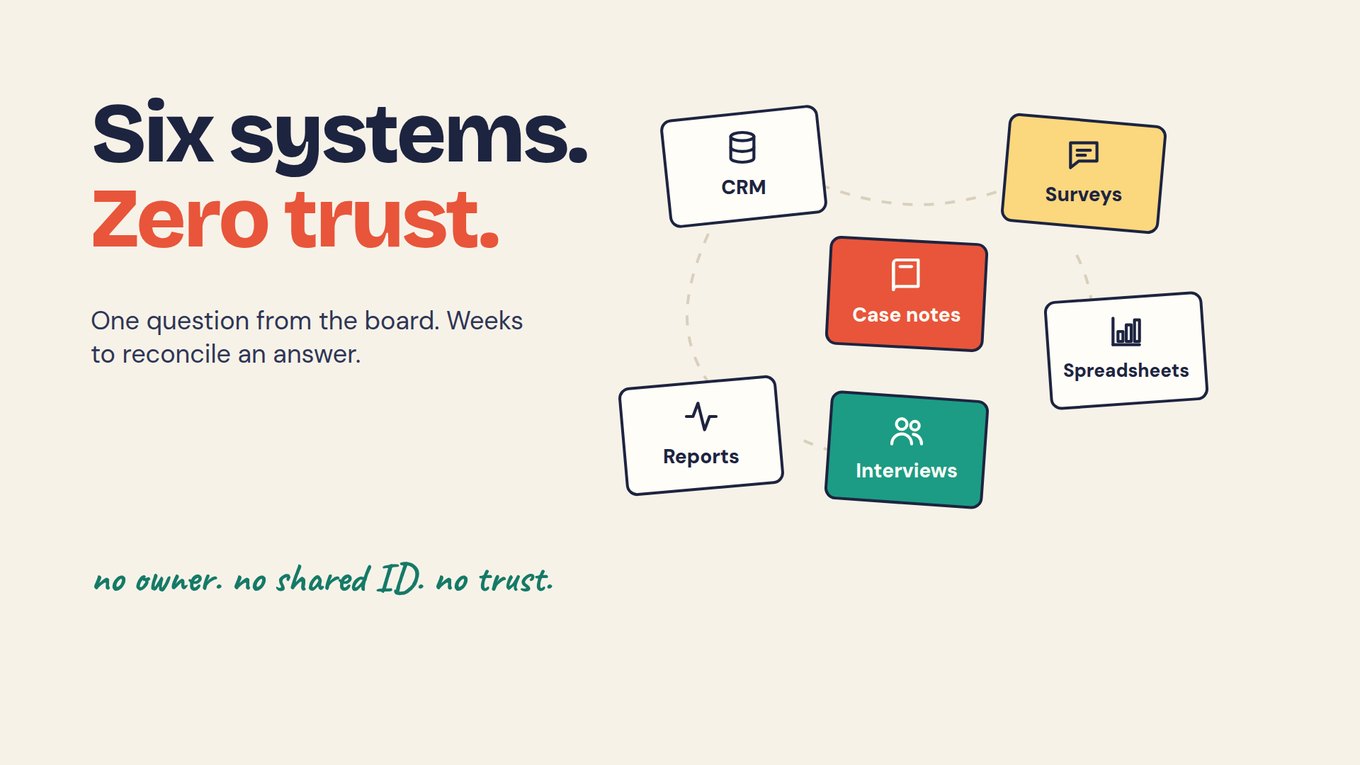
Most nonprofit teams still collect data they can't use when decisions need to be made. Surveys scatter across five tools, participant records drift between spreadsheets, and open-ended feedback sits unread in PDFs. By the time anyone cleans the data enough for analysis, the program has already moved forward — leaving staff to make decisions in the dark.

The real problem isn't a lack of dashboards or visualization tools. It's fragmented inputs. When participant IDs don't match across systems, when qualitative feedback stays locked in documents, and when 80% of your team's time goes to manual cleanup instead of learning, you're not doing nonprofit analytics — you're doing damage control.

In 2026, organizations achieving the strongest outcomes have stopped bolting analytics onto broken data pipelines. Instead, they've invested in AI-native platforms that keep data clean from the first response, connect qualitative narratives with quantitative metrics automatically, and compress months-long analysis cycles into minutes. The result isn't just faster reporting — it's a fundamentally different relationship with data, one where insights arrive when they can still change outcomes.

This guide covers everything from choosing the right nonprofit analytics software to building a practical data analysis workflow your team can implement in 30 days — whether you're a five-person organization or a multi-program operation serving thousands.

📌 VIDEO PLACEMENT: End of introductionEmbed YouTube video: https://www.youtube.com/watch?v=pXHuBzE3-BQ&list=PLUZhQX79v60VKfnFppQ2ew4SmlKJ61B9b&index=1&t=7s

What Is Nonprofit Analytics?

Nonprofit analytics is the practice of systematically collecting, cleaning, and analyzing program data — both quantitative metrics and qualitative feedback — to make evidence-based decisions about service delivery, resource allocation, and stakeholder engagement. Unlike business analytics focused on revenue optimization, nonprofit analytics connects organizational activities to mission outcomes: did services create meaningful change for participants?

Effective data analytics for nonprofits goes beyond counting outputs (meals served, workshops delivered, surveys completed). It tracks outcome trajectories over time, integrates participant voices with performance metrics, and surfaces patterns that help program teams adapt while programs are still running — not after annual evaluations arrive too late to matter.

The field encompasses several related disciplines: data analysis for nonprofits (examining collected data for patterns), nonprofit data science (applying statistical and machine learning methods to program data), nonprofit business intelligence (creating structured reporting for strategic decisions), and predictive analytics (forecasting outcomes and identifying at-risk participants). Modern AI-native platforms increasingly combine all four capabilities into unified workflows that don't require dedicated data analysts.

Why Nonprofit Analytics Matters in 2026

Three converging pressures make analytics capabilities essential rather than optional for nonprofits in 2026:

Funders demand real-time accountability. Foundation and government funders increasingly expect continuous evidence rather than annual narratives. Organizations that can demonstrate outcomes through live data — not polished reports assembled weeks after the fact — win renewed funding and deeper partnerships.

Programs move too fast for annual evaluation. A workforce training program that waits 12 months to discover its curriculum doesn't match employer needs has wasted a year of participant time. Analytics that surface feedback weekly enable mid-course corrections that annual evaluation cycles cannot.

AI has eliminated the technical barrier. Until recently, meaningful data analysis required statistical expertise, coding skills, or expensive consultants. AI-powered platforms now extract themes from open-ended text, correlate qualitative patterns with quantitative outcomes, and generate reports in plain English — making impact measurement accessible to program staff without technical backgrounds.

Why 80% of Nonprofit Data Time Is Wasted
✘ Fragmented Pipeline
1Scattered collection — Google Forms, SurveyMonkey, Excel, CRM, email
2Manual deduplication — matching “John Smith” to “J. Smith” across systems
3Weeks of coding — reading open-ended responses one by one for themes
4Static report — outdated before it’s shared, no narrative context
Result: 4–6 weeks per analysis cycle. Insights arrive after decisions are made.
✔ AI-Native Pipeline
1Clean at source — unique IDs, field validation, one pipeline
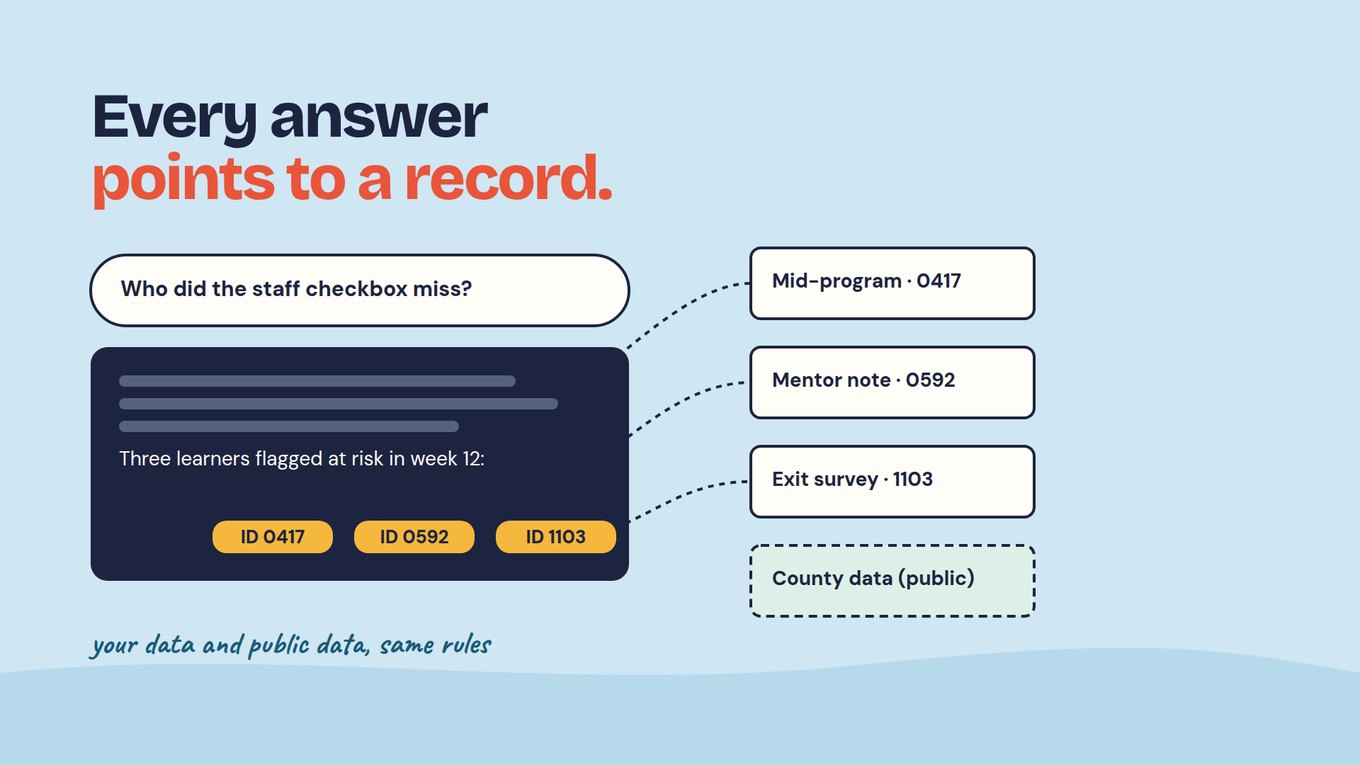
2Zero reconciliation — all data auto-linked by participant ID
3AI theme extraction — Intelligent Cell processes responses in minutes
4Living reports — shareable links that update continuously with context
Result: ~10 minutes per analysis cycle. Program teams adapt within days.
🔬
Intelligent Cell
Themes & sentiment from each response
👤
Intelligent Row
Complete participant profiles
📊
Intelligent Column
Cross-cohort pattern analysis
📋
Intelligent Grid
Automated reports in minutes
The 80% problem is architectural, not operational. When data enters clean and connected, analytics becomes a learning system. When it enters fragmented and dirty, even the best analysis tools just make messy data look organized.

How Modern Nonprofit Analytics Software Eliminates the Analysis Bottleneck

The transformation from fragmented spreadsheets to continuous learning doesn't require bigger teams or technical expertise. It requires platforms built on three principles that traditional survey tools and BI platforms ignore.

Principle 1: Keep Stakeholder Data Clean and Complete

Every participant gets a unique ID from first contact. Collection forms connect to a lightweight CRM that prevents duplicates, enables corrections through unique links, and maintains data integrity across the entire relationship lifecycle. When data enters clean, the 80% cleanup burden disappears before analysis even begins.

Principle 2: Automatically Centralize and Prepare Data for AI

Forms, interviews, documents, and surveys feed into a unified structure where qualitative and quantitative streams stay connected. No manual export-import cycles. No deduplication spreadsheets. Just clean, analysis-ready data from day one. This is the architectural difference between platforms that bolt AI onto legacy data pipelines and those built as AI-native systems from the ground up.

Principle 3: Reduce Time-to-Insight from Months to Minutes

Built-in AI agents analyze open-ended responses, extract themes from documents, correlate metrics across surveys, and generate reports in plain English. The Intelligent Suite processes data through four layers:

Intelligent Cell analyzes individual data points — open-ended survey responses, uploaded documents, interview transcripts — extracting themes, sentiment, and key evidence from each entry. Process 5-100 page PDF documents in minutes rather than weeks.

Intelligent Row creates complete participant profiles by combining all data points for a single individual. Generate plain-language summaries that explain the "why" behind metrics. Apply custom rubrics for consistent scoring across hundreds of applications.

Intelligent Column compares data across participants to identify patterns. Correlate qualitative themes with quantitative scores. Surface insights like "low confidence cohorts mention 'too fast' 3x more often" — analysis that previously required external consultants.

Intelligent Grid generates comprehensive reports from plain-English instructions. Type "compare pre/post confidence by cohort with key quotes" and receive designer-quality reports in minutes with live shareable links that update continuously.

Nonprofit Analytics Software: Choosing the Right Platform

Selecting the right nonprofit analytics software depends on where your data bottleneck lives. Some organizations have clean data but poor visualization. Most have the opposite problem: fragmented collection creates data that no analytics tool can rescue.

Visualization and BI Tools (Tableau, Power BI, Looker)

Business intelligence platforms excel at creating sophisticated visualizations, interactive dashboards, and drill-down reports. Tableau offers nonprofit pricing. Power BI integrates with Microsoft ecosystems. Looker (formerly Google Data Studio) provides free basic dashboards.

Best for: Organizations with dedicated data analysts, already-clean data in structured databases, and primarily quantitative reporting needs.

Limitation: These tools visualize data but don't collect, clean, or unify it. If your data lives in 5-8 disconnected tools — the reality for most nonprofits — a BI layer doesn't solve the underlying fragmentation. You still spend 80% of staff time preparing data before any chart appears.

Survey and Form Platforms (SurveyMonkey, Google Forms, Typeform)

Survey tools collect responses and display basic summaries. Some offer filtering and cross-tabulation. But they lack persistent participant IDs, longitudinal tracking, qualitative analysis capabilities, and AI-powered insight generation. Each survey creates a separate data silo requiring manual export and matching.

Best for: Simple one-time data collection where longitudinal tracking isn't needed.

Limitation: No mechanism to connect the same participant's responses across multiple surveys over time. Every analysis cycle starts with manual cleanup.

Statistical and Data Science Tools (R, Python, SPSS)

For organizations with data science capabilities, statistical programming languages and software provide maximum analytical flexibility. R and Python handle everything from basic descriptive statistics to machine learning models. SPSS offers a GUI-based approach familiar to academic researchers.

Best for: Organizations with trained data analysts or university partnerships providing pro bono analytical support.

Limitation: Require significant technical expertise. Don't solve data collection or cleanup. Analysis remains a bottleneck when the data scientist is the only person who can run queries.

AI-Native Impact Platforms (Sopact Sense)

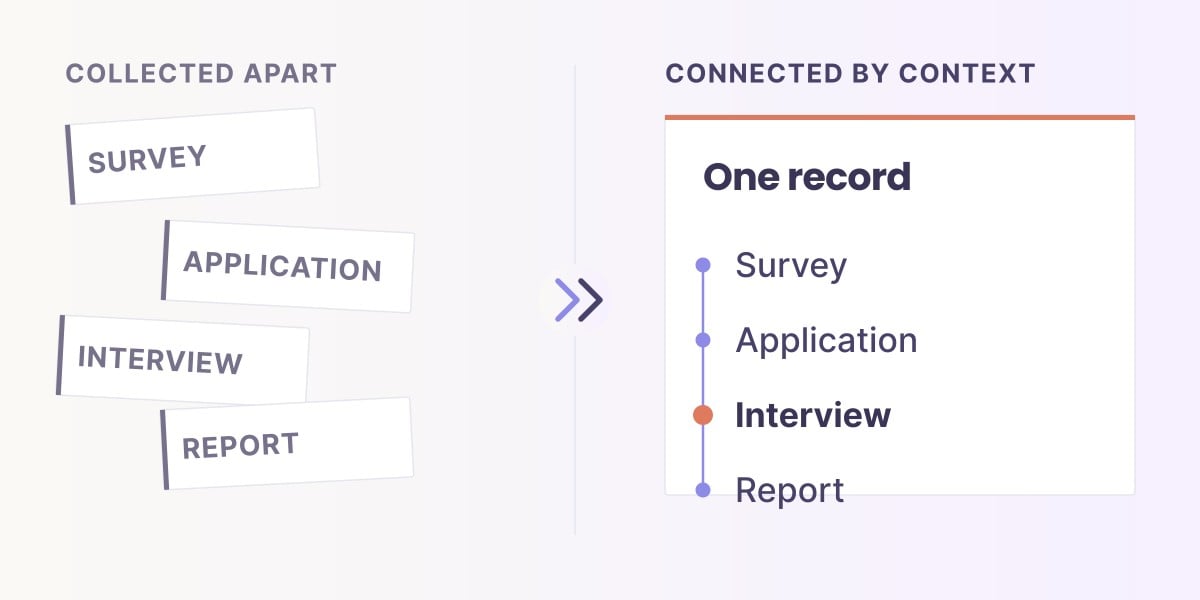
Purpose-built platforms integrate data collection, unique ID management, qualitative + quantitative analysis, and AI-powered reporting into a single pipeline. Data enters clean, connects automatically across participant journeys, and generates insights through AI without manual cleanup or export steps.

Best for: Organizations that need to track outcomes over time, blend quantitative metrics with qualitative stories, and generate donor and funder reports without dedicated data staff.

Evaluation question: Does the tool solve data quality before analysis, or does it only analyze data you've already cleaned yourself?

Nonprofit Analytics Software: Platform Comparison
Capability Survey Tools
(SurveyMonkey, Forms)
BI Platforms
(Tableau, Power BI)
Data Science
(R, Python, SPSS)
AI-Native
(Sopact Sense)
Data Collection Basic forms, each survey = separate silo None — requires pre-cleaned data None — requires pre-cleaned data Integrated with unique IDs, validation, self-correction
Data Quality No dedup; manual cleanup required Visualizes whatever you feed it Scriptable but manual effort per cycle Clean at source; 80% cleanup eliminated
Unique Participant IDs No — each form isolated No — depends on input data If coded into pipeline manually Built-in Contacts object; persistent across all forms
Qualitative Analysis None — open-text ignored None — charts only Possible with NLP expertise AI-powered: themes, sentiment, rubric scoring
Longitudinal Tracking Manual matching across exports If data pre-joined If coded into analysis Automatic via unique IDs; pre/mid/post linked
Report Generation Basic summaries Strong dashboards but manual upkeep Code required AI-generated from plain English; live shareable links
Technical Skill Required Low Medium-High High (programming) Low (self-service)
Survey Tools
Easy collection, no analysis depth
BI Platforms
Great viz, needs clean data first
Data Science
Maximum flexibility, requires analysts
AI-Native
Collection + quality + analysis unified
The key question: Does the tool solve data quality before analysis, or does it only analyze data you’ve already cleaned yourself? Most nonprofit data time is consumed upstream of analysis — not in the analysis itself.

Data Analysis for Nonprofits: The Complete Workflow

Effective data analysis for nonprofits follows a predictable workflow regardless of organization size. The difference between organizations that generate useful insights and those that produce compliance artifacts comes down to how early in the pipeline they solve data quality.

Stage 1: Design Collection Around Decisions

Before creating any survey or form, identify the specific decisions your data needs to inform. "What's our completion rate?" is a metric question. "Why do participants drop out after week 4, and what should we change?" is a learning question. Design for the latter by pairing every quantitative rating with a brief qualitative prompt in the same form.

Stage 2: Centralize Identity with Unique IDs

Assign every participant a persistent unique identifier at first contact. This ID connects all their data — intake forms, mid-program surveys, exit assessments, follow-up check-ins — without manual matching. When "John Smith" in the intake form automatically links to "J. Smith" in the follow-up survey, longitudinal analysis becomes possible for the first time.

Stage 3: Integrate Qualitative and Quantitative Streams

Collect the "what" (ratings, scores, completion data) and the "why" (open-ended feedback, participant narratives, staff observations) in the same workflow. Don't separate quantitative metrics from qualitative context into different tools — that separation is what creates the analysis bottleneck that consumes 80% of staff time.

Stage 4: Analyze with AI-Powered Tools

Use AI to extract themes from open-ended text, correlate qualitative patterns with quantitative outcomes, build participant profiles, and generate cross-cohort comparisons. Analysis that previously required weeks of manual coding or external consultants now happens in minutes.

Stage 5: Close the Loop Within 30 Days

Take at least one program action and one operational action based on each analysis cycle. Document what changed, when, and set a re-check date. This 30-day cadence transforms analytics from an annual compliance exercise into a continuous learning practice. For a deeper framework on connecting analytics to organizational strategy, see our impact strategy guide.

30-Day Nonprofit Analytics Implementation Blueprint

Moving from fragmented data to continuous learning doesn't require a multi-month implementation. This practical cadence gets nonprofit teams from cleanup to insight in four weeks.

Week 1: Name Your Decisions and Lock Identity

List 3-5 decisions you must make every 2-4 weeks: adjust curriculum, target stewardship, escalate support. Each decision gets two numbers and one narrative prompt. Choose your system of record for participant IDs — CRM or data platform. Pass that ID in every survey link. Version instruments and maintain a one-page codebook.

Example: Decision: "Should we add extra support sessions for cohorts showing low confidence?" Metrics: Confidence rating (1-5), attendance percentage. Narrative prompt: "What would help most before the next session?" ID Source: Sopact Contacts (participant_id).

Week 2: Collect Intake or Mid-Point Check-Ins

Co-collect "what" and "why" by pairing each rating with a one-line open-ended prompt in the same form. Use stable pick-lists for demographics and controlled options for ratings. Validate that five sample records run end-to-end without errors. Intelligent Cell processes open-ended responses in real time as data arrives.

Week 3: Summarize Numbers and Narratives Together

Filter to low ratings (confidence ≤2) and list the top three blocker phrases from comments. Compare by site or instructor. Cross-reference with attendance or completion data to spot patterns. Intelligent Column automates cross-cohort comparisons, surfacing patterns that previously required manual pivot tables.

Example finding: 25% of Cohort B rated confidence ≤2. Top blockers: "too fast," "need practice time," "unclear examples." Cohort A (same instructor) showed 5% low confidence. Hypothesis: Cohort B has less prior experience — adjust pacing.

Week 4: Close Two Loops and Schedule Next Cycle

Take one program action (add 10-minute recap for Cohort B) and one operations action (simplify survey wording). Document what changed, when, and set a re-check date for the next cycle. Intelligent Grid generates shareable reports in minutes to close loops with funders. Schedule Week 1 of the next cycle.

Ongoing: Refine and Scale

After 2-3 cycles, most workflow becomes template-driven. Add new decisions only when existing ones stabilize. Connect to Power BI or Looker for executive dashboards while keeping day-to-day analysis self-service. Maturity indicators: exports require zero manual cleanup, program adjustments happen mid-cycle, and the team debates insights rather than data quality.

Nonprofit Predictive Analytics and Data Science

As organizations mature in their analytics practice, nonprofit predictive analytics opens new possibilities: identifying participants at risk of dropping out before they disengage, forecasting program capacity needs, and modeling the likely impact of program design changes before implementing them.

What Predictive Analytics Looks Like for Nonprofits

Early warning systems. When historical data shows that participants who miss two consecutive sessions and rate confidence below 3 have an 80% dropout probability, the system flags current participants matching that pattern for proactive outreach — before they disappear.

Demand forecasting. Analyzing enrollment patterns, seasonal trends, and demographic shifts helps organizations anticipate service demand and allocate resources proactively rather than reactively.

Program design optimization. Comparing outcome trajectories across cohorts with different program structures (intensity, duration, content sequence) reveals which design elements drive the strongest results for specific participant profiles.

The Prerequisite: Clean, Connected Data

Predictive analytics requires the same foundation as descriptive analytics — clean data with persistent participant IDs that enable longitudinal tracking. Organizations attempting to build predictive models on fragmented, manually-reconciled data waste analytical effort on data quality issues rather than insight generation. The data infrastructure that supports continuous learning analytics is the same infrastructure that enables prediction.

Data science for nonprofits doesn't require hiring a data scientist. AI-native platforms increasingly embed predictive capabilities into workflows that program staff can use directly. The analysis layer in Sopact's Intelligent Column, for example, identifies correlation patterns across cohorts that surface the same insights a data scientist would find — but in minutes rather than weeks.

How Nonprofits Use Data Analytics: Real Examples

Understanding how organizations actually apply analytics to program decisions grounds abstract methodology in practical reality.

Example 1: Workforce Training Program

A workforce training nonprofit collected pre-program assessments, weekly confidence ratings, and post-program employment data through disconnected tools. Staff spent 3 weeks per quarter reconciling records before generating a static report that arrived after curriculum decisions had already been made.

After switching to centralized collection with unique IDs: weekly confidence themes surface automatically, employment outcome correlations appear in real time, and quarterly reports generate in minutes from live data. Program team now adjusts curriculum mid-cohort based on participant feedback rather than waiting for the next annual evaluation.

View Live Workforce Dashboard Example →

Example 2: Scholarship and Grant Application Review

A scholarship program received hundreds of applications requiring essay evaluation, talent assessment, and demographic analysis. Manual review took weeks, introduced inconsistency, and created bottleneck delays.

Intelligent Cell now scores and summarizes essays against rubrics. Intelligent Row generates plain-language applicant profiles. Intelligent Column reveals how talent correlates across demographics and fields of study — insights that were invisible in manual review. Evaluation time dropped from weeks to minutes per cohort.

View Scholarship Grid Report → | View Consideration Scoring →

Example 3: Youth Development Multi-Site Program

A youth development organization operating across five sites needed to compare program effectiveness while respecting site-level variation. Different sites used different intake forms, different rating scales, and different follow-up timelines — making cross-site analysis impossible without weeks of manual normalization.

Standardized collection with persistent IDs enabled automatic cross-site comparison. Intelligent Column surfaces which sites produce the strongest confidence gains and what distinguishes their approach. Program leadership now identifies and scales best practices within months rather than years.

Example 4: ESG and Impact Investment Evaluation

A management consulting company collecting supply chain information and sustainability data from portfolio companies needed rapid, consistent ESG evaluations. Manual document review introduced bias and took weeks per company.

Intelligent Row processes complex quarterly reports and supply chain documents into standardized ESG scores. Aggregated analysis across the portfolio reveals sector-level patterns and identifies companies requiring additional engagement.

View ESG Aggregated Report → | View Tesla Evaluation →

Traditional Tools vs. AI-Native Nonprofit Analytics

Understanding the structural differences between legacy approaches and modern analytics platforms helps organizations evaluate whether their current tools enable learning — or just create compliance artifacts.

DimensionTraditional ApproachAI-Native Analytics (Sopact Sense)Data QualityManual cleaning; 80% of time on deduplicationBuilt-in unique IDs; clean at source from day oneQual + QuantSeparate silos; interviews processed weeks laterIntegrated workflows; themes extracted instantly alongside metricsAnalysis SpeedMonths of export, clean, code, cross-referenceMinutes; Intelligent Suite processes in real timeParticipant IDsDifferent IDs across CRM, surveys, spreadsheetsCentralized Contacts object; one ID across all touchpointsFeedback LoopsAnnual or quarterly; insights arrive too lateWeekly or monthly; 30-day cadence enables mid-course correctionsData CorrectionNearly impossible once submittedUnique links let participants review and correct anytimeReportingStatic dashboards requiring manual updatesLiving reports with live links, always currentTime to ValueWeeks or months of setupLive in a day; self-service analytics

The architectural difference: traditional tools force you to choose between ease and power. AI-native platforms deliver enterprise capabilities with the simplicity of survey tools — because they solve data quality at the source rather than expecting you to solve it before analysis begins.

Nonprofit Analytics Consulting: When to Build vs. Buy Expertise

Many organizations searching for nonprofit analytics consulting face a choice: hire external analysts to make sense of existing data, or invest in platforms that make analysis self-service. Understanding when each approach works helps allocate limited resources effectively.

When Consulting Makes Sense

Complex evaluation design. When programs require experimental or quasi-experimental designs (randomized controlled trials, difference-in-differences analysis), specialized evaluation consultants bring methodological expertise that platforms alone don't provide.

One-time strategic assessments. Organizations undergoing major strategic shifts — merging programs, entering new geographies, restructuring theory of change — may benefit from external analytics support for the transition period.

Capacity building. Analytics consultants who train internal staff while conducting analysis create lasting organizational capability rather than ongoing dependency.

When Self-Service Platforms Replace Consulting

Recurring analysis cycles. If the same types of analysis recur monthly or quarterly (cohort comparisons, pre-post analysis, funder reporting), building these into self-service workflows costs less than ongoing consulting engagements.

Qualitative coding and theme extraction. Work that previously required trained qualitative researchers — reading hundreds of open-ended responses, coding for themes, validating across coders — is now automated by AI with consistency that exceeds manual inter-rater agreement.

Report generation. The most common consulting deliverable — the polished report — generates automatically from platforms designed for survey and impact reporting. Freeing consulting budgets for strategic questions rather than routine production.

Frequently Asked Questions

What is nonprofit analytics?

Nonprofit analytics is the practice of systematically collecting, cleaning, and analyzing program data to make evidence-based decisions about service delivery and resource allocation. Unlike business analytics focused on revenue, nonprofit analytics connects organizational activities to mission outcomes — tracking whether services created meaningful change for participants. Modern approaches integrate qualitative feedback (stories, open-ended responses) with quantitative metrics (scores, completion rates) using AI-powered analysis tools.

What is the best nonprofit analytics software?

The best nonprofit analytics software depends on where your data bottleneck lives. Visualization tools (Tableau, Power BI) work when data is already clean and structured. Statistical tools (R, Python, SPSS) suit organizations with trained data analysts. AI-native platforms (Sopact Sense) work when the core problem is data fragmentation — collecting from multiple tools, lacking unique participant IDs, or needing to analyze qualitative and quantitative data together without manual cleanup.

How do nonprofits use data analytics?

Nonprofits use data analytics to track program outcomes over time, identify which services produce the strongest results for which participant populations, generate evidence for funder reports, and make mid-course program corrections based on real-time feedback. Advanced applications include predictive analytics for dropout prevention, cross-site program comparison, and portfolio-level impact analysis across multiple programs.

What is the difference between nonprofit analytics and business intelligence?

Business intelligence typically focuses on structured quantitative data — financial metrics, operational KPIs, and performance dashboards. Nonprofit analytics additionally requires integrating qualitative data (participant stories, open-ended feedback, interview themes) with quantitative metrics, tracking individual outcomes over time through unique participant IDs, and connecting spending to mission impact rather than revenue. BI tools work well as a visualization layer but rarely solve the data collection and quality challenges unique to nonprofit program evaluation.

How can small nonprofits start with data analytics?

Start with three steps: (1) Identify 3-5 decisions you need to make every 2-4 weeks and define what data would inform them. (2) Centralize collection using unique participant IDs to eliminate the manual matching that consumes most staff time. (3) Begin a 30-day analysis cadence — collect data in weeks 1-2, analyze in week 3, take action and document in week 4. Small nonprofits often benefit more from analytics than large ones because they have less capacity to waste on manual cleanup.

Do nonprofits need a data analyst to use analytics effectively?

Not anymore. AI-native platforms have eliminated the technical barrier that previously required trained analysts for meaningful nonprofit data analysis. Intelligent Suite tools process open-ended text, extract themes, correlate patterns across cohorts, and generate reports from plain-English instructions. Organizations still benefit from analytical thinking — asking the right questions, designing good collection instruments, interpreting results — but the technical execution is increasingly automated.

How is nonprofit predictive analytics different from regular analytics?

Regular (descriptive) analytics tells you what happened and why. Predictive analytics forecasts what will likely happen next — which participants are at risk of dropout, where demand will increase, which program designs will produce the strongest outcomes for specific populations. Predictive analytics requires the same foundation as descriptive analytics: clean data with persistent participant IDs enabling longitudinal tracking. Organizations should build descriptive analytics capability first, then layer prediction on top.

How much does nonprofit analytics consulting cost?

Nonprofit analytics consulting typically ranges from project-based engagements ($5,000-$50,000 for evaluation design and reporting) to ongoing retainers ($2,000-$10,000/month for recurring analysis support). However, much of what organizations historically paid consultants to do — qualitative coding, cross-tabulation, report generation — is now automated by AI-native platforms at a fraction of the cost. Reserve consulting budgets for strategic evaluation design and capacity building rather than routine analytical production.

Time to Rethink Nonprofit Analytics for Today’s Needs

Imagine nonprofit analytics that evolve with your needs, keep data pristine from the first response, and feed AI-ready datasets in seconds—not months.
Upload feature in Sopact Sense is a Multi Model agent showing you can upload long-form documents, images, videos

AI-Native

Upload text, images, video, and long-form documents and let our agentic AI transform them into actionable insights instantly.
Sopact Sense Team collaboration. seamlessly invite team members

Smart Collaborative

Enables seamless team collaboration making it simple to co-design forms, align data across departments, and engage stakeholders to correct or complete information.
Unique Id and unique links eliminates duplicates and provides data accuracy

True data integrity

Every respondent gets a unique ID and link. Automatically eliminating duplicates, spotting typos, and enabling in-form corrections.
Sopact Sense is self driven, improve and correct your forms quickly

Self-Driven

Update questions, add new fields, or tweak logic yourself, no developers required. Launch improvements in minutes, not weeks.